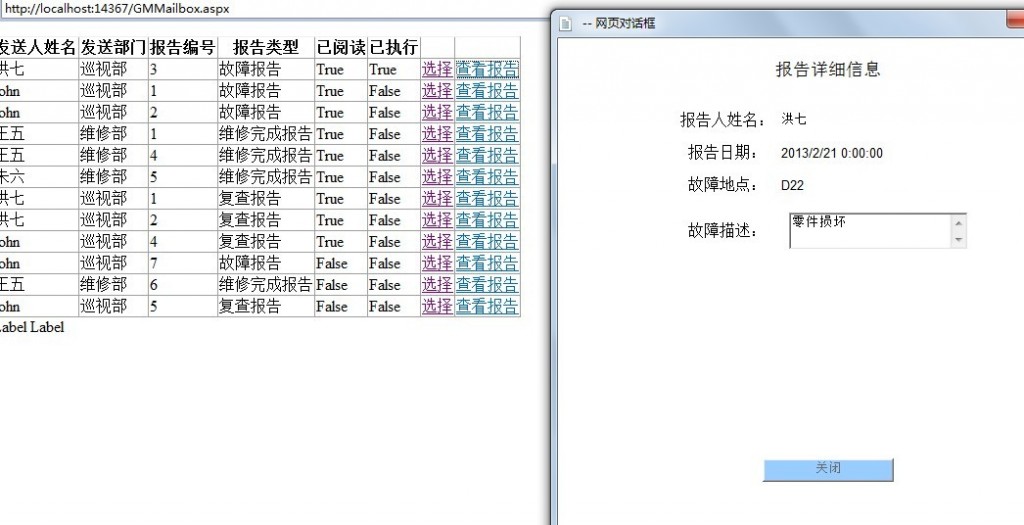
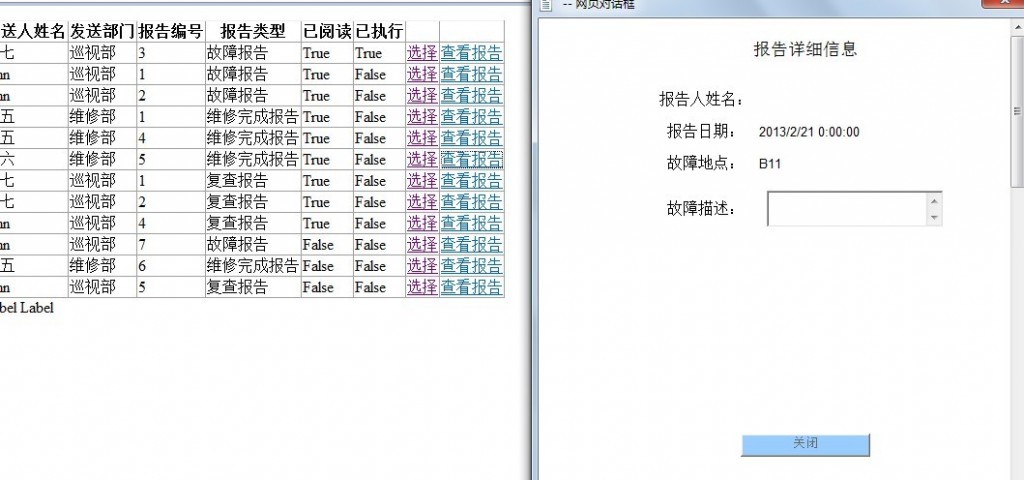
为什么从数据库获取值后 显示不出来啊
我在父页面放了个gridview 选择数据的时候会传递3个值去子页面 子页面有三个不同id的div 为甚卖我调试的时候都获取到了数据库里的数值 但却显示不出来啊 下面上代码
父页面gridview选择事件
protected void GrvGMMailbox_SelectedIndexChanging(object sender, GridViewSelectEventArgs e)
        {
            name = GrvGMMailbox.Rows[e.NewSelectedIndex].Cells[1].Text;
            reportID = GrvGMMailbox.Rows[e.NewSelectedIndex].Cells[3].Text;
            type = GrvGMMailbox.Rows[e.NewSelectedIndex].Cells[4].Text;
            sendInfo();
        }

        protected void sendInfo()
        {
            Session["reportName"] = name;
            Session["reportID"] = reportID;
            Session["type"] = type;
            //Response.Redirect("ShowReportInfo.aspx");
            Response.Write("<script>window.showModalDialog('ShowReportInfo.aspx', 'width=481;height=300;status=no;resizable=no;screenX=300;screenY=350;top=200;left=300');</script>");
        }
public partial class ShowReportinfo : System.Web.UI.Page
    {
        string sql;
        protected void Page_Load(object sender, EventArgs e)
        {
            string reportID = Session["reportID"].ToString();
            string reportName = Session["reportName"].ToString();
            string type = Session["type"].ToString();
            getReportInfo(reportID, reportName, type);
        }
        protected void getReportInfo(string reportID, string reportName, string type)
        {
            //判断报告类型
            //维修完成报告
            if (type == "维修完成报告")
            {
                sql = "select * from EP_TblMalfunctionRepairResults where ID='" + reportID + "' and RepairName='" + reportName + "'";
                MalRepair.Attributes.Add("style", "visibility:visible");
                SqlDataReader sdr = dataOperate.getRow(sql);
                sdr.Read();
                txtRepairName.Text = sdr["RepairName"].ToString();
                txtReportDate.Text = sdr["RepairDate"].ToString();
                txtMalfunctionlocation.Text = sdr["RepairLocation"].ToString();
                txtMalfunctionReason.Text = sdr["MalfunctionReasons"].ToString();
                if (sdr["Result"].ToString() == "已解决")
                {
                    rdoRepairResult1.Checked = true;
                }
                if (sdr["Result"].ToString() == "未解决")
                {
                    rdoRepairResult2.Checked = true;
                }
                sdr.Dispose();

            }
            //复查报告
            if (type == "复查报告")
            {
                sql = "select * from EP_TblMalfunctionCheckResult where ID='" + reportID + "' and InspectorName='" + reportName + "'";
                MalCheck.Attributes.Add("style", "visibility:visible");
                SqlDataReader sdr = dataOperate.getRow(sql);
                sdr.Read();
                txtInspectorName.Text = sdr["InspectorName"].ToString();
                txtCheckDate.Text = sdr["CheckDate"].ToString();
                txtChecklocation.Text = sdr["MalfuntionLocation"].ToString();
                if (sdr["Result"].ToString() == "已解决")
                {
                    rdoCheckResult1.Checked = true;
                }
                if (sdr["Result"].ToString() == "未解决")
                {
                    rdoCheckResult2.Checked = true;
                }
                txtComments.Text = sdr["Comments"].ToString();
                sdr.Dispose();
            }
            //故障报告
            if (type == "故障报告")
            {
                sql = "select * from EP_TblMalfunctionReport where ID='" + reportID + "' and ReportName='" + reportName + "'";

                MalReport.Attributes.Add("style", "visibility:visible");
                SqlDataReader sdr = dataOperate.getRow(sql);
                sdr.Read();
                txtReportName.Text = sdr["ReportName"].ToString();
                txtReportDate.Text = sdr["ReportDate"].ToString();
                txtMalfunctionlocation.Text = sdr["MalfunctionLocation"].ToString();
                txtMalfunctionDescription.Text = sdr["MalfunctionDescriptions"].ToString();
                sdr.Dispose();
            }
        }
    }