sharepoint 2010 如何用SocialCommentManager获取记事板评论数据
前面有一篇文章,提到sharepoint 2010 如何给文档库或自定义列表添加评论功能
那么如何获取里面的评论数据,以下是获取数据的方法介绍。
首先,我们看看下面这个文档,里面有5条评论。
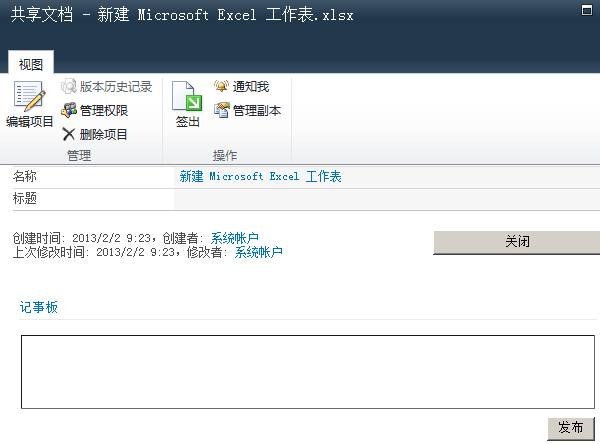
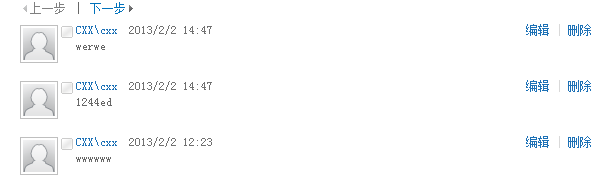

下面我们通过程序去获取这个文档的所有评论,先引用两个DLL文件 :Microsoft.Office.Server.dll ,Microsoft.Office.Server.UserProfiles.dll
SocialComment[] comments = null;
SPSecurity.RunWithElevatedPrivileges(delegate
{
SPSite site = new SPSite(SPContext.Current.Site.ID);
var ctx = HttpContext.Current;
try
{
SPServiceContext context = SPServiceContext.GetContext(site);
SocialCommentManager socialCommentManager = new SocialCommentManager(context);
SPServiceContext sc = SPServiceContext.GetContext(site);
HttpContext.Current = null;
comments = socialCommentManager.GetComments((new Uri("http://moss/Shared Documents/新建 Microsoft Excel 工作表.xlsx")));
DataTable dt = new DataTable();
dt.Columns.Add("评论主题");
dt.Columns.Add("评论内容");
dt.Columns.Add("评论人");
dt.Columns.Add("评论时间");
dt.Columns.Add("主题地址");
for (int i = 0; i < comments.Length; i++)
{
DataRow dr = dt.NewRow();
dr["评论主题"] = comments[i].Title;
dr["评论内容"] = comments[i].Comment;
dr["评论人"] = comments[i].Owner.DisplayName;
dr["评论时间"] = comments[i].LastModifiedTime.AddHours(8);
dr["主题地址"] = comments[i].Url;
dt.Rows.Add(dr);
}
GridView1.DataSource = dt;
GridView1.DataBind();
}
catch (Exception ex)
{
}
finally
{
HttpContext.Current = ctx;
site.Close();
}
});
这样我们就拿到了该文档的所有评论,如下表格。
如果只是想获取某一个用户的评论数据,则需要添加一个过滤条件,修改下上面的方法,添加一个UserProfile,
SPServiceContext context = SPServiceContext.GetContext(site);
SocialCommentManager socialCommentManager = new SocialCommentManager(context);
SPServiceContext sc = SPServiceContext.GetContext(site);
UserProfileManager upm = new UserProfileManager(sc);
UserProfile user = upm.GetUserProfile(@"cxx\cxx");
HttpContext.Current = null;
comments = socialCommentManager.GetComments(user,(new Uri("http://moss/Shared Documents/新建 Microsoft Excel 工作表.xlsx")));
绑定到Gridview后的效果如下 :
以上就是关于记事板获取评论数据的方法。
广州京微信息科技有限公司,微软sharepoint解决方案提供商。
