使用shell编写的一个简单的时钟(tput和date介绍)
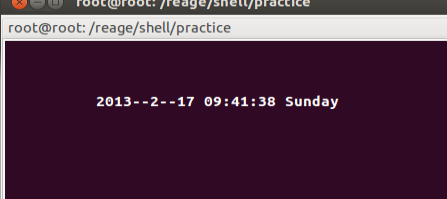
在终端显示一个简单时钟。格式是“年--月--日 时:分:秒 星期” 主要适用tput用来控制鼠标位置和date命令获取时间
效果如下图:
tput命令参数介绍:
tput civis :用来隐藏光标
tput cols :显示当前所在的列
tput lines :显示当前所在的行
tput cup lines cols : 将光标移动到第lines行,第cols列
tput setb no :设置终端背景色。 no的取值稍后介绍
tput setf no : 设置文本的颜色。no的取值稍后介绍
tput ed :删除当前光标到行尾的内容
no的取值:0:黑色、1:蓝色、2:绿色、3:青色、4:红色、5:洋红色、6:黄色、7:白色
更多内容请使用 man tput 查看
date命令参数介绍
#!/bin/bash tput civiswhile [ 1 ]dononth=$(date +%B)case "$nonth" inJanuary) nonth=1;;February) nonth=2;;March) nonth=3;;April) nonth=4;;May) nonth=5;;June) nonth=6;;July) nonth=7;;August) nonth=8;;September) nonth=9;;October) nonth=10;;November) nonth=11;;December) nonth=12;;esac tput clear tput cup 3 10echo $(date +%Y)--$nonth--$(date +%d) $(date +%H):$(date +%M):$(date +%S) $(date +%A)sleep 1 done
blog:http://blog.csdn.net/rentiansheng/article/details/8586200
