android 实现分享功能
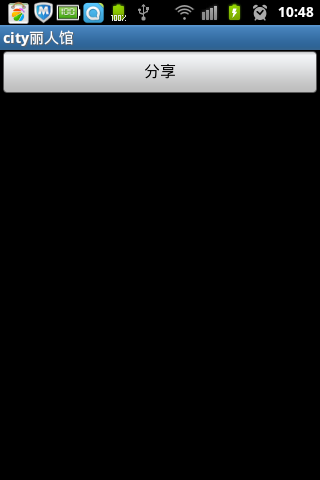
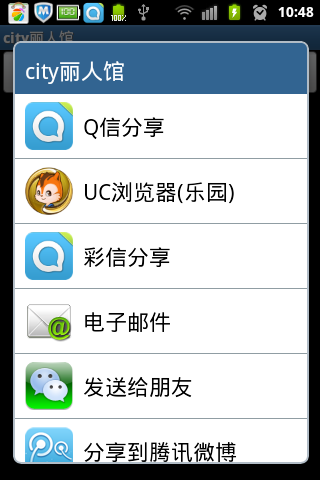
首先新建share.xml布局文件
<?xml version="1.0" encoding="utf-8"?><LinearLayout xmlns:android="http://schemas.android.com/apk/res/android" android:layout_width="fill_parent" android:layout_height="fill_parent" android:orientation="vertical" > <Button android:id="@+id/share" android:layout_width="fill_parent" android:layout_height="wrap_content" android:text="分享" /></LinearLayout>
然后是新建Activity
/** * ShareActivity.java * 版权所有(C) 2012 * 创建:cuiran 2012-10-17 上午9:23:05 */package com.cayden.citygirl.activity;import android.app.Activity;import android.content.Intent;import android.os.Bundle;import android.view.View;import android.widget.Button;/** * TODO * @author cuiran * @version TODO */public class ShareActivity extends Activity {@Overrideprotected void onCreate(Bundle savedInstanceState) {// TODO Auto-generated method stubsuper.onCreate(savedInstanceState);setContentView(R.layout.share);Button share=(Button)this.findViewById(R.id.share);share.setOnClickListener(new View.OnClickListener() {@Overridepublic void onClick(View v) {Intent intent=new Intent(Intent.ACTION_SEND); intent.setType("image/*"); intent.putExtra(Intent.EXTRA_SUBJECT, "Share"); intent.putExtra(Intent.EXTRA_TEXT, "I have successfully share my message through my app (分享自city丽人馆)"); intent.setFlags(Intent.FLAG_ACTIVITY_NEW_TASK); startActivity(Intent.createChooser(intent, getTitle())); }});}}
