两种获取HDC的方法和TextOut输出
windows32挺好玩的,买本windows32的书,慢慢啃,理解windows32到底是怎么工作的,尤其是消息循环这一块,其实windows32最重要的就是你写的proc函数,消息循环接收任何消息,都调用你写的windowproc函数,如果有人觉得windows32入门很痛苦,建议大家看看孙鑫的c++20讲之第一讲,保证有收获。
windows32不用重头到尾都自己敲代码,可以有技巧的使用MSDN,可以复制函数原型... 写了第一遍了,第二遍就可以拷贝第一遍写的,然后改就行了。
有两种方法可以获取HDC(设备环境句柄)
1成对使用BeginPaint(hwnd,&ps),EndPaint(hwnd,&ps);
2成对使用GetDC(hwnd),ReleaseDC(hwnd,hdc);
就在刚刚,我分别用了两种方法测试了下效果:
#include<windows.h>LRESULT CALLBACK WindowProc( HWND hwnd, // handle to window UINT uMsg, // message identifier WPARAM wParam, // first message parameter LPARAM lParam // second message parameter);int WINAPI WinMain( HINSTANCE hInstance, // handle to current instance HINSTANCE hPrevInstance, // handle to previous instance LPSTR lpCmdLine, // command line int nCmdShow // show state ){static TCHAR szAppName[]=TEXT("AppName");HWND hwnd;MSG msg;WNDCLASS wndclass;wndclass.cbClsExtra=0;wndclass.cbWndExtra=0;wndclass.hbrBackground=(HBRUSH)GetStockObject(WHITE_BRUSH);wndclass.hCursor=LoadCursor(NULL,IDC_ARROW);wndclass.hIcon=LoadIcon(NULL,IDI_APPLICATION);wndclass.hInstance=hInstance;wndclass.lpfnWndProc=WindowProc;wndclass.lpszClassName=szAppName;wndclass.lpszMenuName=NULL;wndclass.style=CS_HREDRAW|CS_VREDRAW;if(!RegisterClass(&wndclass)){MessageBox(NULL,TEXT("This program requires Windows NT"),szAppName,MB_ICONERROR);}hwnd=CreateWindow( szAppName, // registered class name TEXT("This is title"), // window name WS_OVERLAPPEDWINDOW, // window style CW_USEDEFAULT, // horizontal position of window CW_USEDEFAULT, // vertical position of window CW_USEDEFAULT, // window width CW_USEDEFAULT, // window height NULL, // handle to parent or owner window NULL, // menu handle or child identifier hInstance, // handle to application instance NULL // window-creation data);ShowWindow(hwnd,nCmdShow);UpdateWindow(hwnd);while(GetMessage(&msg,NULL,0,0)){TranslateMessage(&msg);DispatchMessage(&msg);}return msg.wParam;}LRESULT CALLBACK WindowProc( HWND hwnd, // handle to window UINT uMsg, // message identifier WPARAM wParam, // first message parameter LPARAM lParam // second message parameter){HDC hdc;PAINTSTRUCT ps;TCHAR zsBuffer[20];switch(uMsg){case WM_CREATE://hdc=GetDC(hwnd);//TextOut(hdc,0,0,TEXT("hello,world"),strlen("hello,world"));//ReleaseDC(hwnd,hdc);return 0;case WM_PAINT:hdc=BeginPaint(hwnd,&ps);TextOut(hdc,0,0,TEXT("WM_PAINT"),strlen("WM_PAINT"));EndPaint(hwnd,&ps);return 0;case WM_DESTROY:PostQuitMessage(0);return 0;}return DefWindowProc(hwnd,uMsg,wParam,lParam);}跟预想的效果一样。
但是:
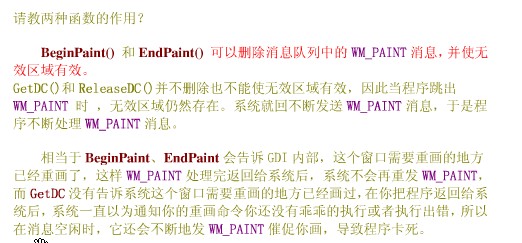
#include<windows.h>LRESULT CALLBACK WindowProc( HWND hwnd, // handle to window UINT uMsg, // message identifier WPARAM wParam, // first message parameter LPARAM lParam // second message parameter);int WINAPI WinMain( HINSTANCE hInstance, // handle to current instance HINSTANCE hPrevInstance, // handle to previous instance LPSTR lpCmdLine, // command line int nCmdShow // show state ){static TCHAR szAppName[]=TEXT("AppName");HWND hwnd;MSG msg;WNDCLASS wndclass;wndclass.cbClsExtra=0;wndclass.cbWndExtra=0;wndclass.hbrBackground=(HBRUSH)GetStockObject(WHITE_BRUSH);wndclass.hCursor=LoadCursor(NULL,IDC_ARROW);wndclass.hIcon=LoadIcon(NULL,IDI_APPLICATION);wndclass.hInstance=hInstance;wndclass.lpfnWndProc=WindowProc;wndclass.lpszClassName=szAppName;wndclass.lpszMenuName=NULL;wndclass.style=CS_HREDRAW|CS_VREDRAW;if(!RegisterClass(&wndclass)){MessageBox(NULL,TEXT("This program requires Windows NT"),szAppName,MB_ICONERROR);}hwnd=CreateWindow( szAppName, // registered class name TEXT("This is title"), // window name WS_OVERLAPPEDWINDOW, // window style CW_USEDEFAULT, // horizontal position of window CW_USEDEFAULT, // vertical position of window CW_USEDEFAULT, // window width CW_USEDEFAULT, // window height NULL, // handle to parent or owner window NULL, // menu handle or child identifier hInstance, // handle to application instance NULL // window-creation data);ShowWindow(hwnd,nCmdShow);UpdateWindow(hwnd);while(GetMessage(&msg,NULL,0,0)){TranslateMessage(&msg);DispatchMessage(&msg);}return msg.wParam;}LRESULT CALLBACK WindowProc( HWND hwnd, // handle to window UINT uMsg, // message identifier WPARAM wParam, // first message parameter LPARAM lParam // second message parameter){HDC hdc;PAINTSTRUCT ps;TCHAR zsBuffer[20];switch(uMsg){case WM_CREATE://hdc=GetDC(hwnd);//TextOut(hdc,0,0,TEXT("hello,world"),strlen("hello,world"));//ReleaseDC(hwnd,hdc);return 0;case WM_PAINT:hdc=GetDC(hwnd);TextOut(hdc,0,0,TEXT("WM_PAINT"),strlen("WM_PAINT"));ReleaseDC(hwnd,hdc);return 0;case WM_DESTROY:PostQuitMessage(0);return 0;}return DefWindowProc(hwnd,uMsg,wParam,lParam);}窗体中显示了WM_PAINT,但是明显的看到一直在闪屏。
TextOut是用来输出的:
看看它的定义:
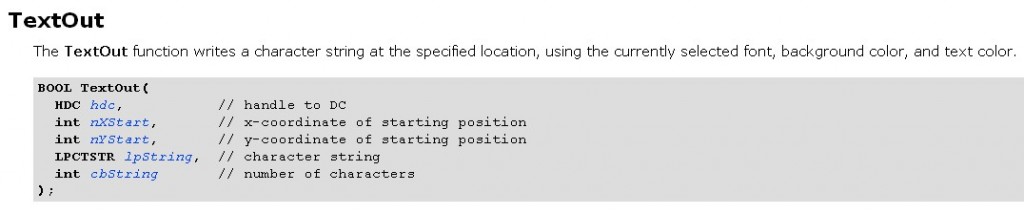
TextOut和DrawText都是用来写的函数,这两者有什么区别呢?其实只要查查MSDN这两个函数原型,你就都清楚了,确定具体位置的用TextOut,确定区域的用DrawText
有了函数原型了,一切都迎刃而解了。
哪位仁兄帮下忙,说一下上面两种方法获取的HDC有什么不同,为什么会出现闪屏?
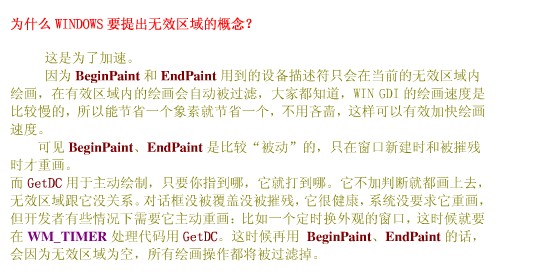
已经找到答案了:
case WM_PAINT:hdc=BeginPaint(hwnd,&ps);//TextOut(hdc,0,0,TEXT("WM_PAINT"),strlen("WM_PAINT"));//TextOut(hdc,200,200,TEXT("WM_PAINT"),strlen("WM_PAINT"));//SetTextAlign(hdc,TA_RIGHT);for(int i=0;i<10;++i){for(int j=0;j<10;++j){TextOut(hdc,i*50,j*50,TEXT("HELLO"),strlen("HELLO"));}}EndPaint(hwnd,&ps);return 0;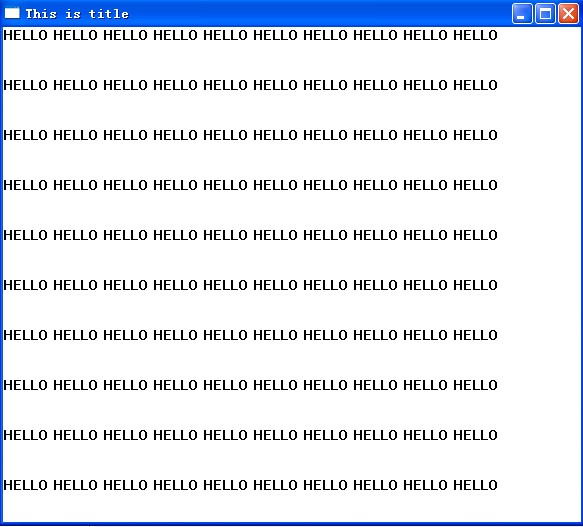
也可是使用TextOut输出变量:
case WM_PAINT:hdc=BeginPaint(hwnd,&ps);//TextOut(hdc,0,0,TEXT("WM_PAINT"),strlen("WM_PAINT"));//TextOut(hdc,200,200,TEXT("WM_PAINT"),strlen("WM_PAINT"));SetTextAlign(hdc,TA_RIGHT);for( i=0;i<10;++i){for( j=0;j<10;++j){TextOut(hdc,i*50,j*50,szBuffer,wsprintf(szBuffer,TEXT("%d"),i*j));}}//TextOut(hdc,200,200,szBuffer,wsprintf(szBuffer,TEXT("%d"),i*j));EndPaint(hwnd,&ps);return 0;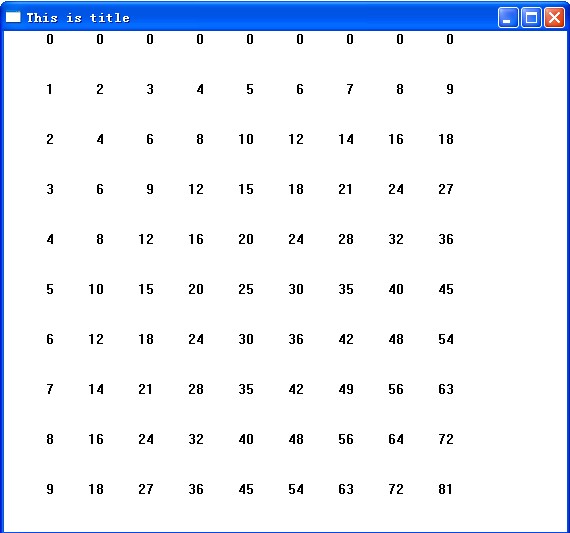
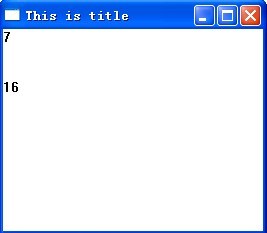
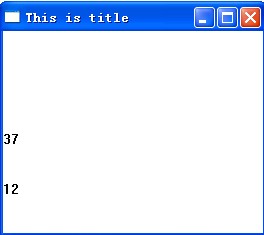
TEXTMERIC相关操作:
LRESULT CALLBACK WindowProc( HWND hwnd, // handle to window UINT uMsg, // message identifier WPARAM wParam, // first message parameter LPARAM lParam // second message parameter){static int cxClient,cyClient;HDC hdc;PAINTSTRUCT ps;int i=50,j=20;TCHAR szBuffer[20];TEXTMETRIC tm;switch(uMsg){case WM_CREATE://hdc=GetDC(hwnd);//TextOut(hdc,0,0,TEXT("hello,world"),strlen("hello,world"));//ReleaseDC(hwnd,hdc);return 0;case WM_PAINT:hdc=BeginPaint(hwnd,&ps);GetTextMetrics(hdc,&tm);TextOut(hdc,0,0,szBuffer,wsprintf(szBuffer,TEXT("%d"),tm.tmAveCharWidth));//字符宽度TextOut(hdc,0,50,szBuffer,wsprintf(szBuffer,TEXT("%d"),tm.tmHeight+tm.tmExternalLeading));//字符长度EndPaint(hwnd,&ps);return 0;case WM_SIZE:hdc=BeginPaint(hwnd,&ps);cxClient=LOWORD(lParam);cyClient=HIWORD(lParam);GetTextMetrics(hdc,&tm);TextOut(hdc,0,100,szBuffer,wsprintf(szBuffer,TEXT("%d"),cxClient/tm.tmAveCharWidth));//一行最多显示多少个字符TextOut(hdc,0,150,szBuffer,wsprintf(szBuffer,TEXT("%d"),cyClient/(tm.tmHeight+tm.tmExternalLeading)));//一列最多显示多少字符EndPaint(hwnd,&ps);return 0;case WM_DESTROY:PostQuitMessage(0);return 0;}return DefWindowProc(hwnd,uMsg,wParam,lParam);}