代替Watir中click_no_wait的方法。
我在刚学watir的时候被js弹出对话框折腾的死去活来,如何处理弹出框的方法网络上一搜一大堆,但是如何点出弹出框的文章却很少。因为如果用click或者click!方法点击会阻塞脚本,不能让脚本执行下去,而click_no_wait方法又不稳定(用ruby186-27_rc2.exe安装的ruby click_no_wait方法根本就不好用),当时差点让我对watir失去了信心。
还好在watir群里(群号25656482)的一位朋友给我提供了另一个替代click_no_wait的方法。
首先建一个ruby文件(我把它命名为ClickHelper.rb),把下面代码考进去。
#File Name: ClickHelper.rbrequire 'watir'require 'Win32API'module Watir class Element def top_edge assert_exists assert_enabled ole_object.getBoundingClientRect.top.to_i end def top_edge_absolute top_edge + page_container.document.parentWindow.screenTop.to_i end def left_edge assert_exists assert_enabled ole_object.getBoundingClientRect.left.to_i end def left_edge_absolute left_edge + page_container.document.parentWindow.screenLeft.to_i end def right_click x = left_edge_absolute y = top_edge_absolute #puts "x: #{x}, y: #{y}" WindowsInput.move_mouse(x, y) WindowsInput.right_click end def left_click x = left_edge_absolute y = top_edge_absolute #puts "x: #{x}, y: #{y}" # need some extra push to get the cursor in the right area WindowsInput.move_mouse(x + 2, y + 2) WindowsInput.left_click end endendmodule WindowsInput # Windows API functions SetCursorPos = Win32API.new('user32','SetCursorPos', 'II', 'I') SendInput = Win32API.new('user32','SendInput', 'IPI', 'I') # Windows API constants INPUT_MOUSE = 0 MOUSEEVENTF_LEFTDOWN = 0x0002 MOUSEEVENTF_LEFTUP = 0x0004 MOUSEEVENTF_RIGHTDOWN = 0x0008 MOUSEEVENTF_RIGHTUP = 0x0010 module_function def send_input(inputs) n = inputs.size ptr = inputs.collect {|i| i.to_s}.join # flatten arrays into single string SendInput.call(n, ptr, inputs[0].size) end def create_mouse_input(mouse_flag) mi = Array.new(7, 0) mi[0] = INPUT_MOUSE mi[4] = mouse_flag mi.pack('LLLLLLL') # Pack array into a binary sequence usable to SendInput end def move_mouse(x, y) SetCursorPos.call(x, y) end def right_click rightdown = create_mouse_input(MOUSEEVENTF_RIGHTDOWN) rightup = create_mouse_input(MOUSEEVENTF_RIGHTUP) send_input( [rightdown, rightup] ) end def left_click leftdown = create_mouse_input(MOUSEEVENTF_LEFTDOWN) leftup = create_mouse_input(MOUSEEVENTF_LEFTUP) send_input( [leftdown, leftup] ) endend<html><head><script>function click_me(){alert("乖");}</script><title>test page</title></head><body><input id='btnClickMe' type = 'button' value = 'Click Me!' onclick='click_me()'/></body></html>require 'watir'require 'ClickHelper'ie = Watir::IE.attach(:title, "test page")ie.button(:id, 'btnClickMe').click#ie.button(:id, 'btnClickMe').click!#ie.button(:id, 'btnClickMe').click_no_wait#ie.button(:id, 'btnClickMe').left_clickputs "Successful"# Deal with the pop up window.
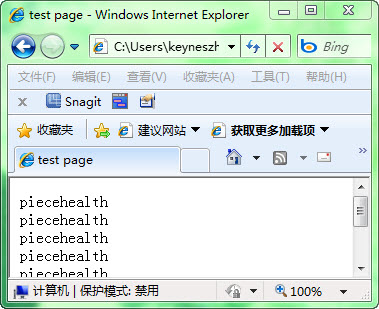
 。
。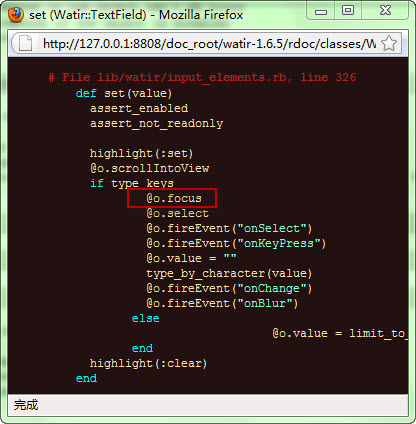
require 'watir'require 'ClickHelper'ie = Watir::IE.attach(:title, "test page")ie.button(:id, 'btnClickMe').focusie.button(:id, 'btnClickMe').left_clickputs "Successful"# Deal with the pop up window.
 !
!