基本信息·出版社:John Wiley & Sons ·页码:1018 页 ·出版日期:2004年01月 ·ISBN:0764540726 ·条形码:9780764540721 ·装帧:平装 ·正文语种: ...
| 商家名称 |
信用等级 |
购买信息 |
订购本书 |
|
|
 |
Excel 2003 Power Programming with VBA |
 |
|
|
Excel 2003 Power Programming with VBA |
|
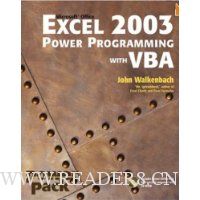
基本信息·出版社:John Wiley & Sons
·页码:1018 页
·出版日期:2004年01月
·ISBN:0764540726
·条形码:9780764540721
·装帧:平装
·正文语种:英语
·丛书名:Excel Power Programming With Vba
·外文书名:用VBA的Excel 2003强力程序设计(书和光盘)
内容简介 在线阅读本书
"Today, no accomplished Excel programmer can afford to be without John′s book. The value of Excel 2003 Power Programming with VBA is double most other books–simultaneously the premier reference and best learning tool for Excel VBA."
––Loren Abdulezer, Author of Excel Best Practices for Business
Everything you need to know about:
∗ Creating stellar UserForms and custom dialog box alternatives
∗ Working with VBA subprocedures and function procedures
∗ Incorporating event–handling and interactions with other applications
∗ Building user–friendly toolbars, menus, and help systems
∗ Manipulating files and Visual Basic components
∗ Understanding class modules
∗ Managing compatibility issues
Feel the power of VBA and Excel
No one can uncover Excel′s hidden capabilities like "Mr. Spreadsheet" himself. John Walkenbach begins this power user′s guide with a conceptual overview, an analysis of Excel application development, and a complete introduction to VBA. Then, he shows you how to customize Excel UserForms, develop new utilities, use VBA with charts and pivot tables, create event–handling applications, and much more. If you′re fairly new to Excel programming, here′s the foundation you need. If you′re already a VBA veteran, you can start mining a rich lode of programming ideas right away.
CD–ROM Includes
∗ Trial version of the author′s award–winning Power Utility Pak
∗ Over one hundred example Excel workbooks from the book
System Requirements: PC running Windows 2000 SP3 or later, or Windows XP(TM) or later. Microsoft Excel 2003. See the "What′s on the CD" Appendix for details and complete system requirements.
作者简介 John Walkenbach, principal of JWalk and Associates Inc., is a leading authority on spreadsheet software and creator of the award–winning Power Utility Pak. He has written more than 30 spreadsheet books and more than 300 articles and reviews for publications including
PC World,
InfoWorld, and
Windows, and maintains the popular Spreadsheet Page at www.j–walk.com/ss.
专业书评 "Today, no accomplished Excel programmer can afford to be without John’s book. The value of Excel 2003 Power Programming with VBA is double most other books–simultaneously the premier reference and best learning tool for Excel VBA."
—Loren Abdulezer, Author of Excel Best Practices for Business
Everything you need to know about: Creating stellar UserForms and custom dialog box alternatives Working with VBA subprocedures and function procedures Incorporating event-handling and interactions with other applications Building user-friendly toolbars, menus, and help systems Manipulating files and Visual Basic® components Understanding class modules Managing compatibility issues
Feel the power of VBA and Excel
No one can uncover Excel’s hidden capabilities like "Mr. Spreadsheet" himself. John Walkenbach begins this power user’s guide with a conceptual overview, an analysis of Excel application development, and a complete introduction to VBA. Then, he shows you how to customize Excel UserForms, develop new utilities, use VBA with charts and pivot tables, create event-handling applications, and much more. If you’re fairly new to Excel programming, here’s the foundation you need. If you’re already a VBA veteran, you can start mining a rich lode of programming ideas right away.
CD-ROM Includes Trial version of the author’s award-winning Power Utility Pak Over one hundred example Excel workbooks from the book
System Requirements: PC running Windows® 2000 SP3 or later, or Windows XP™ or later. Microsoft Excel 2003. See the "What’s on the CD" Appendix for details and complete system requirements.


