
Android 百度地图开发(三)--- 实现比例尺功能和替换自带的缩放组件转载请注明出处:http://blog.csdn.net/x
Android 百度地图开发(三)--- 实现比例尺功能和替换自带的缩放组件
转载请注明出处:http://blog.csdn.net/xiaanming/article/details/11821523
貌似有些天没有写博客了,前段时间在忙找工作的事,面试了几家公司,表示反响还不错,过完国庆节去新公司报道,期待新的公司,新的同事,而且新公司还有很多女孩子,哈哈,我可是一年多没和女孩子一起工作过了,之前的公司全是男的,你没听错,真的全是男的,我还以为我自己不会在爱了,现在Android市场还可以,想要跳槽换工作的赶紧,过了这个村就没这个店了,还有就是恭喜自己成了博客专家了,很开心也很感谢CSDN给我这份荣誉,我会继续写出对大家有用的博文,感谢大家的支持,今天继续给大家带来百度地图开发系列三 ,实现比例尺功能和替换自带的缩放组件,先看下项目工程结构
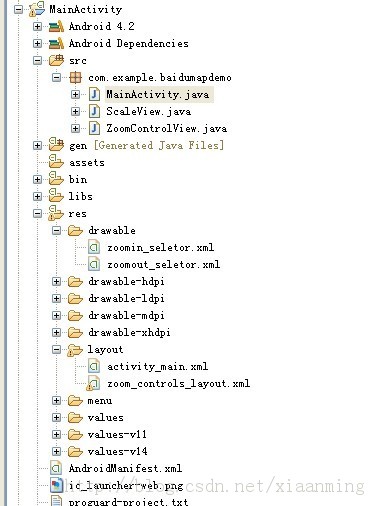
ScaleView是比例尺控件,ZoomControlView是缩放控件,MainActivity就是我们的主界面了
先看下ZoomControlView类,代码如下
<?xml version="1.0" encoding="utf-8"?><RelativeLayout xmlns:android="http://schemas.android.com/apk/res/android" android:layout_width="fill_parent" android:layout_height="fill_parent" > <com.baidu.mapapi.map.MapView android:id="@+id/bmapView" android:layout_width="fill_parent" android:layout_height="fill_parent" android:clickable="true" /> <com.example.baidumapdemo.ZoomControlView android:id="@+id/ZoomControlView" android:layout_width="wrap_content" android:layout_height="wrap_content" android:layout_alignParentBottom="true" android:layout_alignParentRight="true" android:layout_marginBottom="20.0dip" android:layout_marginRight="5.0dip"/> <com.example.baidumapdemo.ScaleView android:id="@+id/scaleView" android:layout_width="wrap_content" android:layout_height="wrap_content" android:layout_alignParentBottom="true" android:layout_alignParentLeft="true" android:layout_marginBottom="40dp" android:layout_marginLeft="20dp" /></RelativeLayout>主界面MainActivity的代码如下
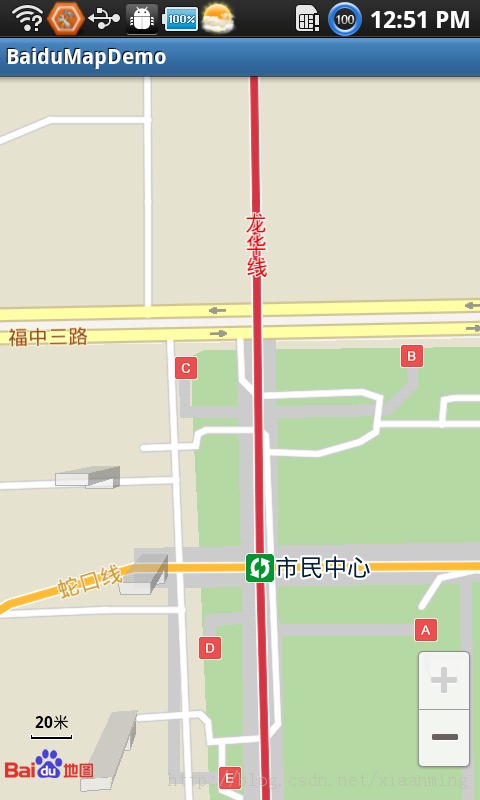
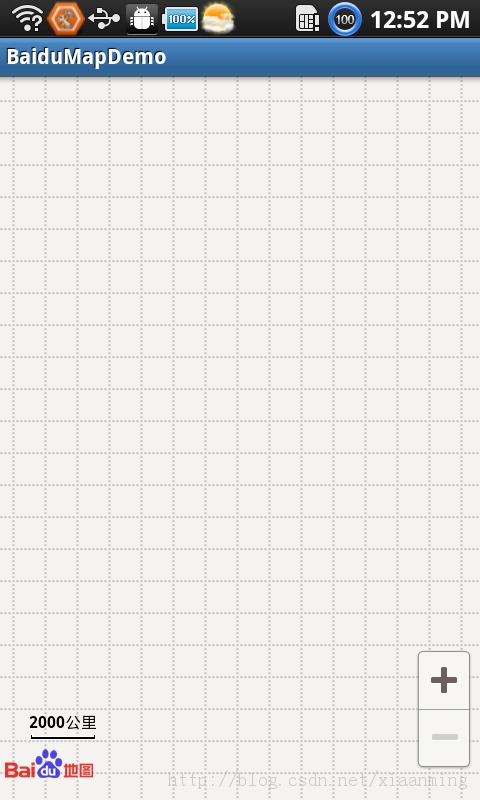
好了,今天的讲解到此结束,有疑问的朋友请在下面留言!
上面的代码有些东西没有贴出来,有兴趣的朋友可以下载源码项目源码,点击下载
- 2楼sinyu890807昨天 19:10
- 工作找好了?啥公司啊
- Re: xiaanming昨天 19:11
- 回复sinyu890807n找好了,是一家物流公司
- 1楼jingdalu昨天 15:05
- 祝你工作顺利,加油。。。
- Re: xiaanming昨天 18:11
- 回复jingdalun谢谢,你也一样