
用asp.netGridView 信息录入系统,表头怎么做?ASP.NETGridView[解决办法]后台代码:protected void GridView
用asp.net GridView 信息录入系统,表头怎么做?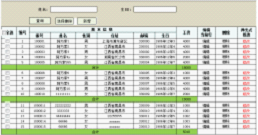 ASP.NET GridView
[解决办法]
后台代码:
protected void GridView1_RowCreated(object sender, GridViewRowEventArgs e)
     {
         if (e.Row.RowType == DataControlRowType.Header)
         {
             TableCellCollection tcHeader = e.Row.Cells;//获取表头行的所有单元
             tcHeader.Clear();//清空原有的表头信息

             TableHeaderCell th = null;//
             for (int i = 1; i <= 10; i++)
             {//模拟建10个子列
                 th = new TableHeaderCell();
                 th.Text = "方案_" + i;
                 th.Width = 80;
                 tcHeader.Add(th);

             }
             GridViewRow rowHeader = new GridViewRow(0, 0, DataControlRowType.Header, DataControlRowState.Normal);//建一个表头行
             TableHeaderCell th2;
             th2 = new TableHeaderCell();
             th2.RowSpan = 2;
             th2.Text = "日期";
             th2.Width = 100;
             rowHeader.Cells.Add(th2);
             //
             th2 = new TableHeaderCell();
             th2.ColumnSpan = 10;
             th2.Text = "发车方案";
             rowHeader.Cells.Add(th2);
             //
             th2 = new TableHeaderCell();
             th2.RowSpan = 2;
             th2.Text = "修改";
             rowHeader.Cells.Add(th2);

             ((GridView)sender).Controls[0].Controls.AddAt(0, rowHeader);//加到gridview的第一行,也就是表头

         }
     }
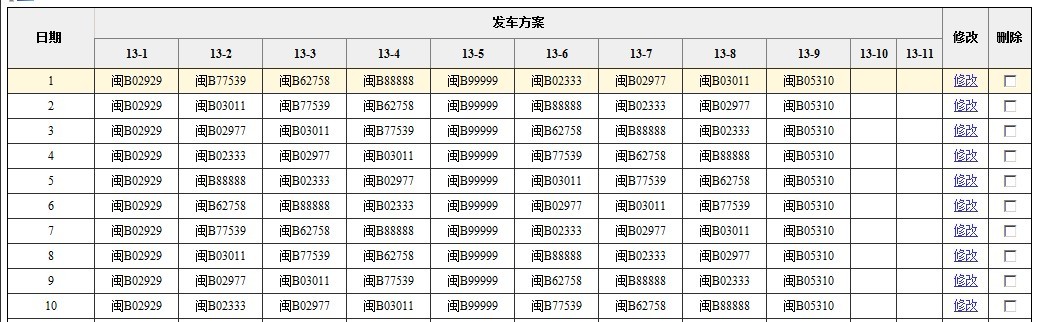
效果:
原文地址