
Android0206_Toast和Notify
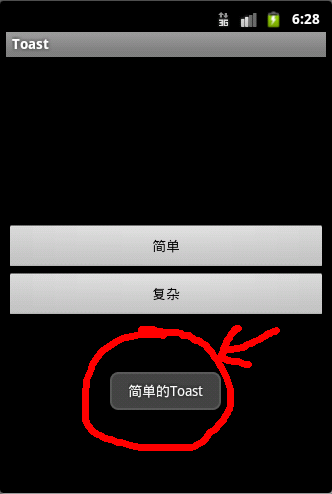
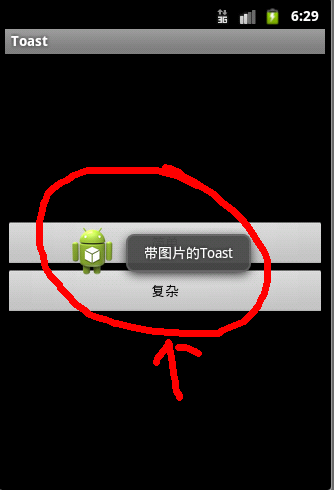
public class ToastActivity extends Activity { /** Called when the activity is first created. */ @Override public void onCreate(Bundle savedInstanceState) { super.onCreate(savedInstanceState); setContentView(R.layout.main); findViewById(R.id.button1).setOnClickListener(new OnClickListener() {public void onClick(View v) {Toast.makeText(ToastActivity.this, "简单的Toast", Toast.LENGTH_SHORT).show();}}); findViewById(R.id.button2).setOnClickListener(new OnClickListener() {public void onClick(View v) {Toast toast = Toast.makeText(ToastActivity.this, "带图片的Toast", Toast.LENGTH_LONG);toast.setGravity(Gravity.CENTER, 0, 0);View view = toast.getView();ImageView imageView = new ImageView(ToastActivity.this);imageView.setImageResource(R.drawable.ic_launcher);LinearLayout layout = new LinearLayout(ToastActivity.this);layout.addView(imageView);layout.addView(view);toast.setView(layout);toast.show();}}); }}
?
?
?
?
2,Notify手机状态栏的通知
使用步骤:
①getSystemService(NOTIFICATION_SERVICE)获得NotificationManager服务
②通过构造器创建一个Notification对象
③为Notification设置各种参数
④通过NotificationManager发送Notification
?
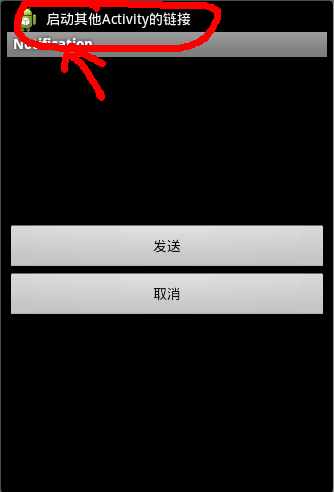
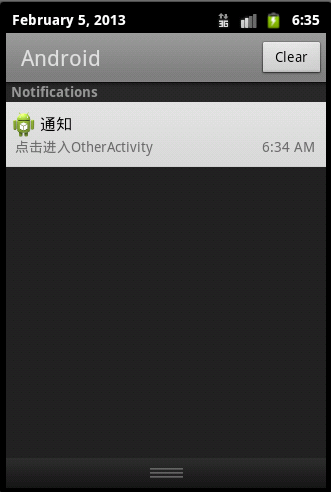
public class NotificationActivity extends Activity {static final int My_ID = 1; @Override public void onCreate(Bundle savedInstanceState) { super.onCreate(savedInstanceState); setContentView(R.layout.main); findViewById(R.id.button1).setOnClickListener(new OnClickListener() {public void onClick(View v) {Intent intent = new Intent(NotificationActivity.this, OtherActivity.class);PendingIntent pi = PendingIntent.getActivity(NotificationActivity.this, 0, intent, 0);Notification notification = new Notification();notification.icon = R.drawable.ic_launcher;notification.tickerText = "启动其他Activity的链接";notification.when = System.currentTimeMillis();notification.defaults = Notification.DEFAULT_ALL;notification.setLatestEventInfo(NotificationActivity.this,"通知","点击进入OtherActivity",pi);NotificationManager nm = (NotificationManager) getSystemService(NOTIFICATION_SERVICE);nm.notify(My_ID, notification);}}); findViewById(R.id.button2).setOnClickListener(new OnClickListener() {public void onClick(View v) {NotificationManager nm = (NotificationManager) getSystemService(NOTIFICATION_SERVICE);nm.cancel(My_ID);}}); }}?解析:
①PendingIntent对象封装了一个Intent,所以单击Notification会调整页面
?
?
?