
含有中文的properties文件在myeclipse中的保持如果文件中有中文,保存时myeclipse会弹出提示框提示如下:Sav
含有中文的properties文件在myeclipse中的保持
如果文件中有中文,保存时myeclipse会弹出提示框提示如下:
Save could not be completed.
Reason:
Some characters cannot be mapped using "ISO-8859-1" character encoding.
Either change the encoding or remove the character which are not supported
by the "ISO-8859-1" character encoding.
大体意思应该是字符集不对,不能保存,解决办法如下:
1.到jdk的bin目录下建立二个properties文件,其中一个写上要填写的内容然后
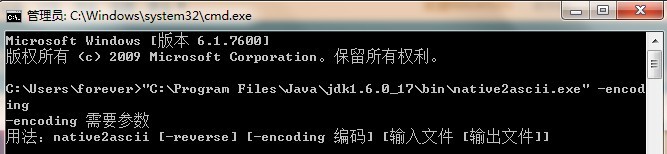
2.在DOS中进入到C:\Program Files\Java\jdk1.6.0_17\bin目录下,然后运行如下命令:
native2ascii -encoding gb2312 a.properties b.properties
a.properties 是源文件 b.properties 是目标文件
?
?
?