
android Launcher源码解析07:Workspace 02——设置壁纸本文分为两个部分,第一部分介绍launcher中如何设置壁
android Launcher源码解析07:Workspace 02——设置壁纸
本文分为两个部分,第一部分介绍launcher中如何设置壁纸;第二部分介绍WallpaperChooser;
1、设置壁纸
长按 Home 可以弹出下面的 Dialog(图 1)
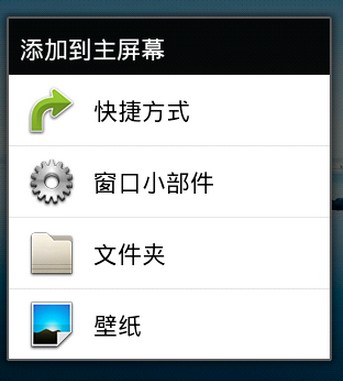
其中有一项就是选择 “壁纸”,当选择之后,出现一个选择器(不是 Dialog)哟!(图 2)
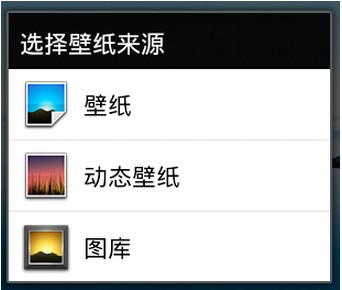
这个时候,你可以选择是一般的壁纸,还是比较炫的动态壁纸或者是从设备中寻找存在的照片(如果没有还可以照相)等。
那麽代码是如何调用的呢?看下图:
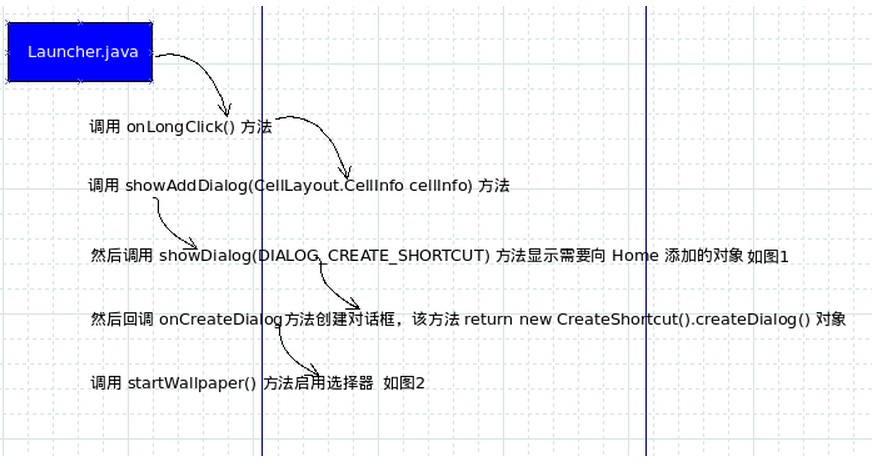
调用关系不算复杂,当然我们还可以使用菜单来启用添加选项,最终还是调用
其配置文件为:
/* * When using touch if you tap an image it triggers both the onItemClick and * the onTouchEvent causing the wallpaper to be set twice. Ensure we only * set the wallpaper once. */ private void selectWallpaper(int position) { if (mIsWallpaperSet) { return; } mIsWallpaperSet = true; try { WallpaperManager wpm = (WallpaperManager)getSystemService(WALLPAPER_SERVICE); wpm.setResource(mImages.get(position)); setResult(RESULT_OK); finish(); } catch (IOException e) { Log.e(TAG, "Failed to set wallpaper: " + e); } }另外,在选择Gallery 中的某一张图以后,ImageView会显示对应大图。这里存在一个问题,如果图片太大,就会出现内存溢出的问题。因此使用了BitmapFactory.Options来规避这个问题。对于BitmapFactory.Options可以参考博文《android基础知识37:BitmapFactory.Options》,另外,对于AsyncTask可以看博文《android基础知识02——线程安全5: AsyncTask》。
参考资料:
《Launcher: 设置壁纸_源码跟踪》