
webservice初学笔记今天刚学的,做下笔记新建一个web工程,导入需要的jar包。webservice的概念什么的不太理解
webservice初学笔记
今天刚学的,做下笔记
新建一个web工程,导入需要的jar包。
webservice的概念什么的不太理解还是用了才有点体会。
跟socket有点类似,客户端和服务端做出来可以相互访问。
1、首先编写接口和实现类:照常的helloworld
①、HelloWorld接口:
package com.surekam.webservice;import javax.jws.WebService;@WebServicepublic interface HelloWorld { public String sayHi(); public String sayHiToUser(User user);}②、HelloWorld实现类:
package com.surekam.webservice;import javax.jws.WebService;@WebService(endpointInterface="com.surekam.webservice.HelloWorld",serviceName="HelloWorld")public class HelloWorldImpl implements HelloWorld{public String sayHi() {return "Hello World";}public String sayHiToUser(User user) {String name=user.getName();return "Hello "+ name +"!";} }2.编写代码,服务端和客户端实现通信:
①服务端代码:
package com.surekam.webservice;import javax.xml.ws.Endpoint;/** * @author Administrator * 服务端 * */public class WebServiceApp {public static void main(String[] args) {System.out.println("webservice启动中.........");HelloWorldImpl impl=new HelloWorldImpl();String address="http://localhost:8080/helloWorld";//设置地址Endpoint.publish(address,impl);System.out.println("webservice已启动........");}}②、客户端代码:
package com.surekam.webservice;import org.apache.cxf.jaxws.JaxWsProxyFactoryBean;/** * @author Administrator 客户端 * */public class WebServiceClient {public static void main(String[] args) {JaxWsProxyFactoryBean factory = new JaxWsProxyFactoryBean();factory.setServiceClass(HelloWorld.class);factory.setAddress("http://localhost:8080/helloWorld");//服务端设置的地址HelloWorld helloworld = (HelloWorld) factory.create();// 强制转换为helloworld接口System.out.println("第一次调用webservice");System.out.println(helloworld.sayHi());// 调用远程的service服务 输出sayHi方法中的内容System.out.println("第二次调用webservice");User user=new User();user.setName("打地洞");System.out.println(helloworld.sayHiToUser(user));}}③,前面学过Spring,这里用一点点也做个客户端,在配置文件里设置一下
代码如下:
package com.surekam.webservice;import org.springframework.context.ApplicationContext;import org.springframework.context.support.ClassPathXmlApplicationContext;/** * @author Administrator *spring的客户端 */public class WebServiceSpringClient {public static void main(String[] args) {ApplicationContext context=new ClassPathXmlApplicationContext("applicationContext.xml");//这里知名配置文件的路径HelloWorld client =(HelloWorld)context.getBean("client");//通过getBean方法得到需要的文件System.out.println(client.sayHi());User user=new User();user.setName("打地洞");System.out.println(client.sayHiToUser(user));}}3.配置文件的设置:
①、新建applicationContext.xml文件里面一系列配置如下:
applicationContext.xml:
<?xml version="1.0" encoding="UTF-8"?><beans xmlns="http://www.springframework.org/schema/beans" xmlns:xsi="http://www.w3.org/2001/XMLSchema-instance" xmlns:jaxws="http://cxf.apache.org/jaxws" xsi:schemaLocation=" http://www.springframework.org/schema/beans http://www.springframework.org/schema/beans/spring-beans.xsd http://cxf.apache.org/jaxws http://cxf.apache.org/schemas/jaxws.xsd"><import resource="classpath:META-INF/cxf/cxf.xml"/> <import resource="classpath:META-INF/cxf/cxf-extension-soap.xml"/> <import resource="classpath:META-INF/cxf/cxf-servlet.xml"/> <jaxws:endpoint id="helloWorld" implementor="com.surekam.webservice.HelloWorldImpl" address="/helloWorld"/> <bean id="client" factory-method="create"/> <bean id="clientFactory" value="com.surekam.webservice.HelloWorld"></property> <property name="address" value="http://localhost:8080/webservice/webservice/helloWorld"></property> </bean></beans>
②、在web工程下找到web.xml文件并进行配置,将applicationContext.xml的路径也添加进去
web.xml:
<?xml version="1.0" encoding="UTF-8"?><web-app version="2.5" xmlns="http://java.sun.com/xml/ns/javaee"xmlns:xsi="http://www.w3.org/2001/XMLSchema-instance"xsi:schemaLocation="http://java.sun.com/xml/ns/javaee http://java.sun.com/xml/ns/javaee/web-app_2_5.xsd"><display-name></display-name><welcome-file-list><welcome-file>index.jsp</welcome-file></welcome-file-list><context-param><param-name>contextConfigLocation</param-name><param-value>/WEB-INF/classes/applicationContext.xml</param-value></context-param><listener><listener-class>org.springframework.web.context.ContextLoaderListener</listener-class></listener><servlet><servlet-name>CXFServlet</servlet-name><servlet-class>org.apache.cxf.transport.servlet.CXFServlet</servlet-class><load-on-startup>1</load-on-startup></servlet><servlet-mapping><servlet-name>CXFServlet</servlet-name><url-pattern>/webservice/*</url-pattern></servlet-mapping></web-app>
到这里 代码部分先结束了 开始调试:
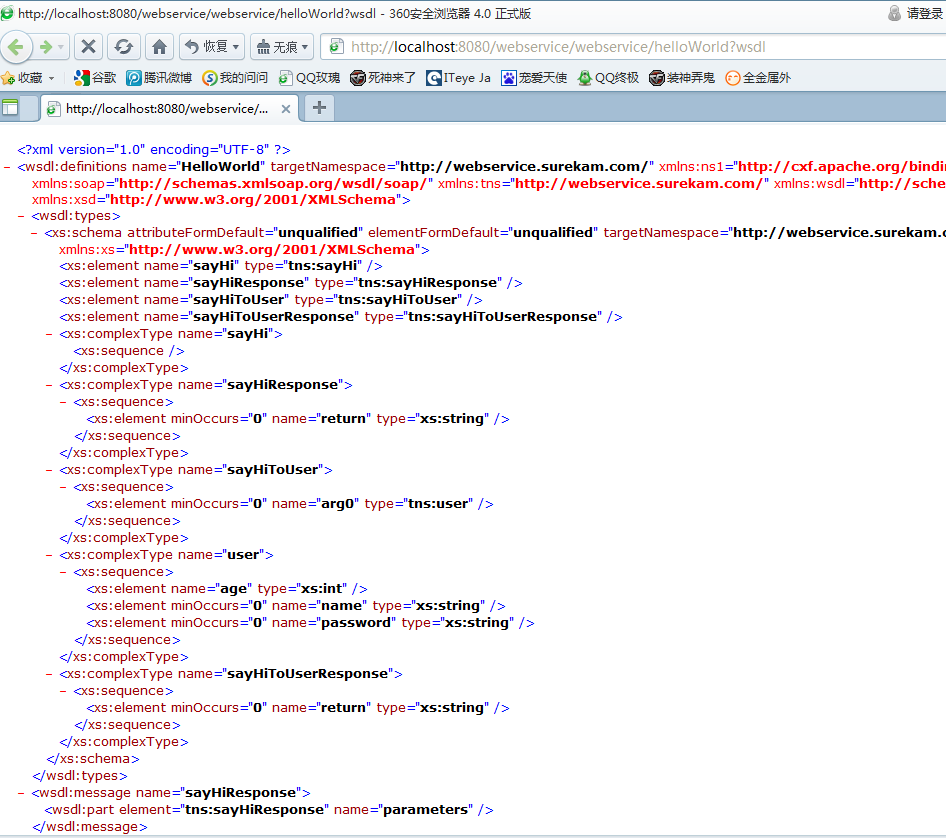
1.1 在浏览器里输入地址:http://localhost:8080/webservice/webservice/helloWorld?wsdl
应该能访问到我们已配置好的工程中的wsdl文件.
如下图:
1.2 先运行服务端代码 2.①,再运行客户端代码2.②
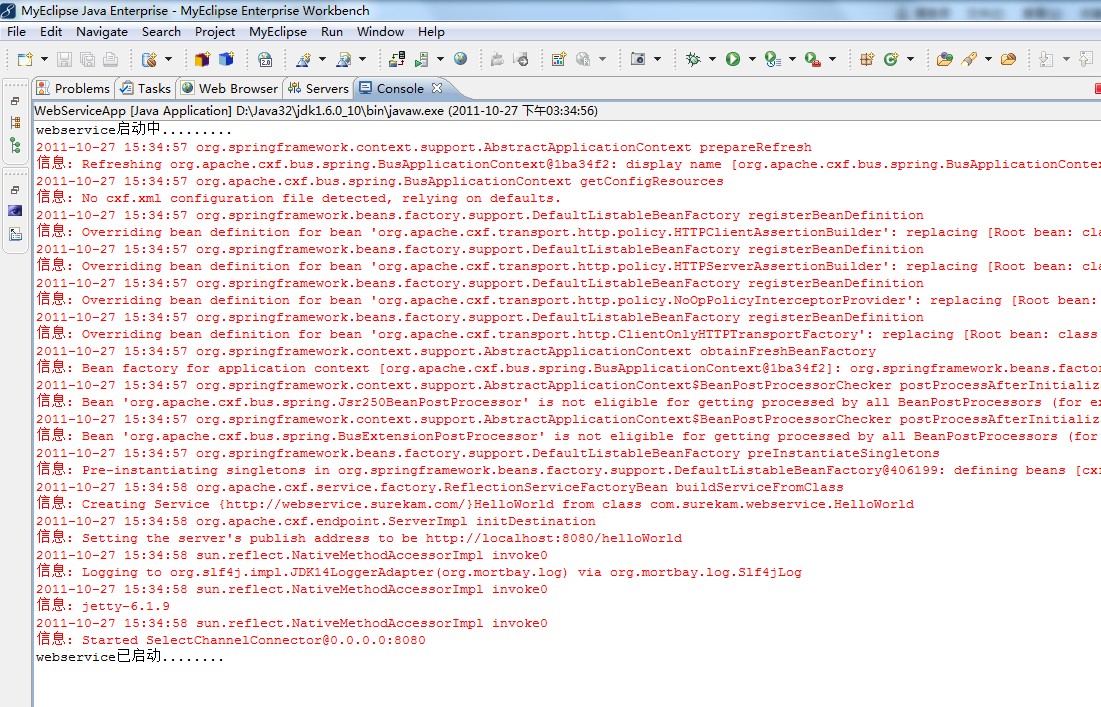
服务端代码 2.①,结果应该如下图:
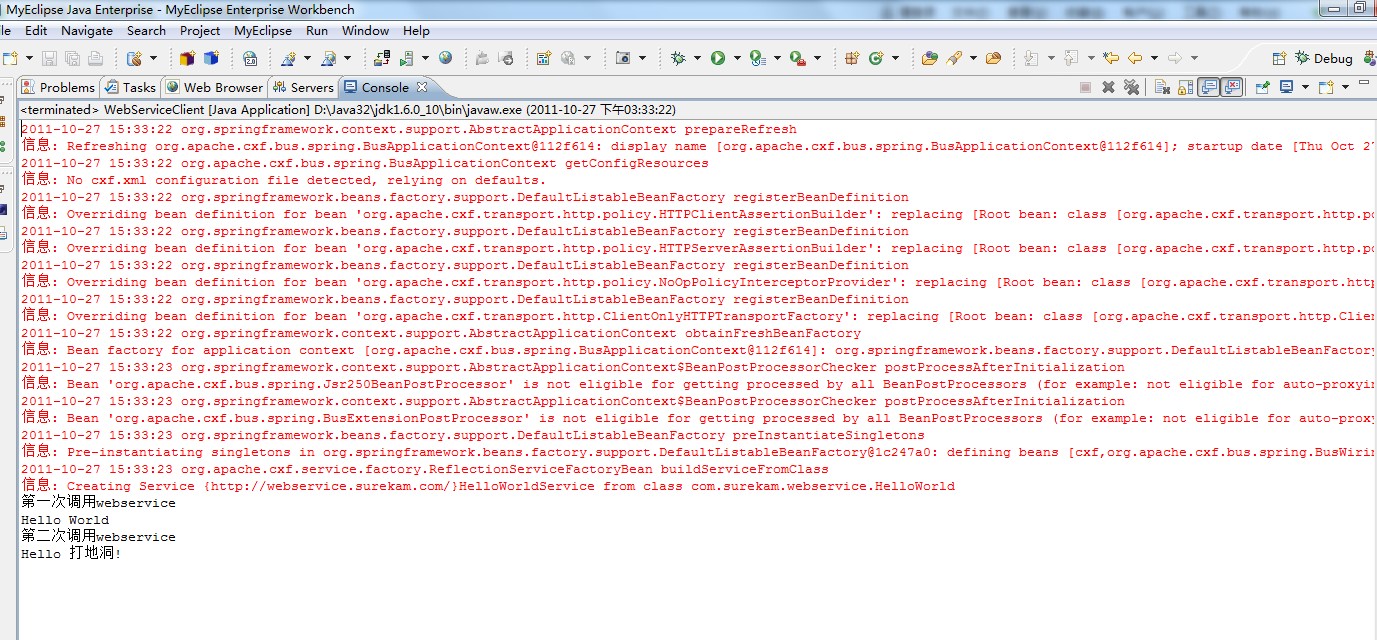
客户端代码2.②结果应该如下图:
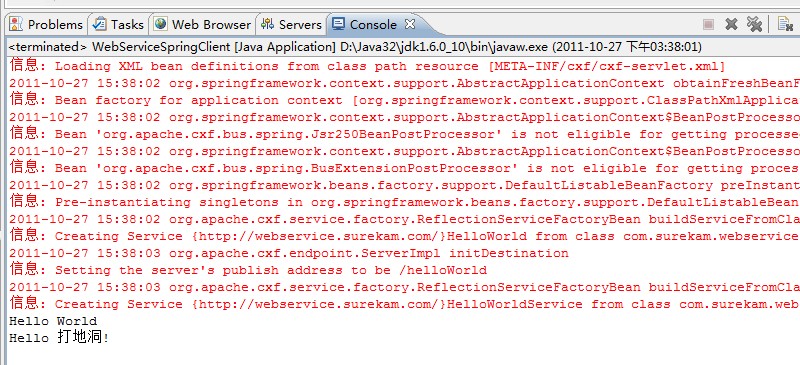
关闭服务端,启动tomcat,再运行2.③ 结果应该如下图:
不知是不是两者冲突的缘故,没关闭服务端运行2.③的话会报错,刚学还不太懂。
PS:前面applicationContext.xml文件里value="http://localhost:8080/webservice/webservice/helloWorld"的配置
把localhost改成其它人的IP,在服务启动的前提下,可以实现局域网通信!

第一次做个笔记,看看效果。