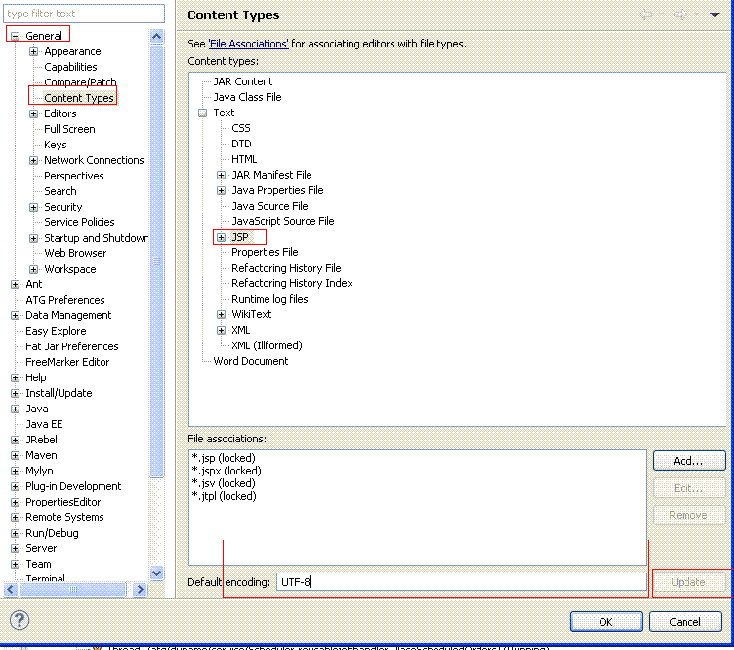
Eclipse设置UTF-8编码1 Windows-preferences-General-Workspace-UTF-82 Windows-preferences-Web-J
Eclipse设置UTF-8编码
1 Windows->preferences->General->Workspace->UTF-8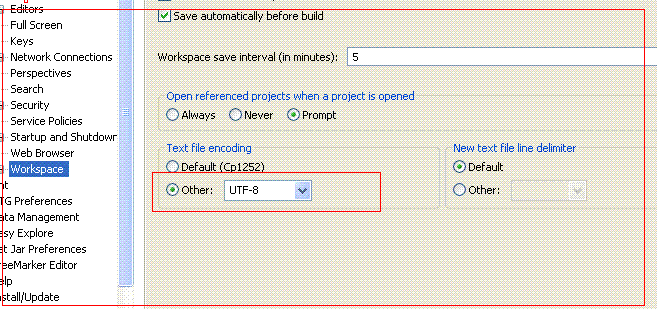
2 Windows->preferences->Web->JSP Files 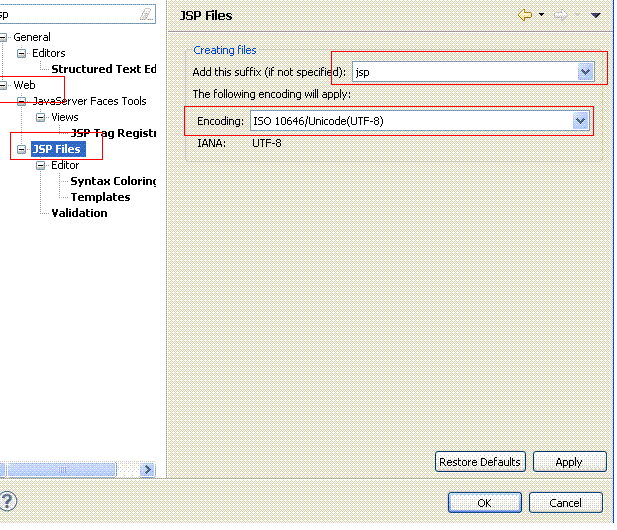
3 Windows->preferences->General->Content Types, click Update button after your setting.