
OSGi與瀏覽器詳細配置步驟1.File → new → project2.選擇 Plug-in project3.打入project name:com.puf.osgi
OSGi與瀏覽器詳細配置步驟
1.File → new → project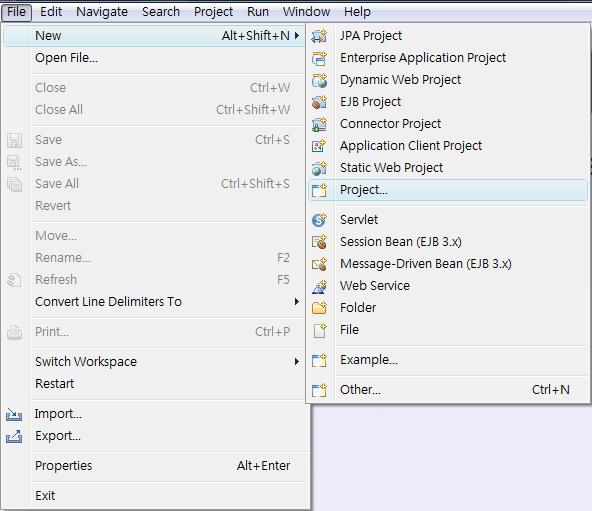
2.選擇 Plug-in project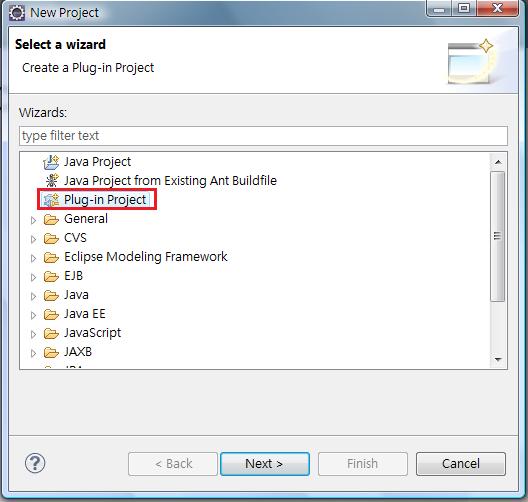
3.打入project name:com.puf.osgi.test
Target Platform選擇 an OSGi framework:Equinox
按下Next後選擇Finish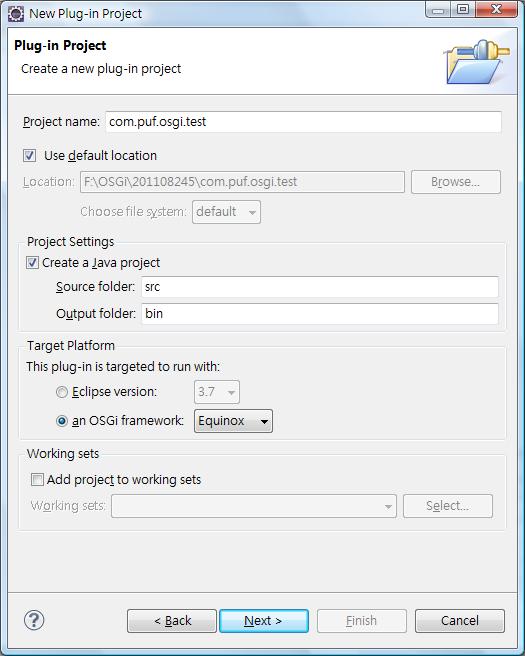
4.至MANIFEST 內點選 Dependencies
並至Required Plug-ins內選擇相依的Bundle
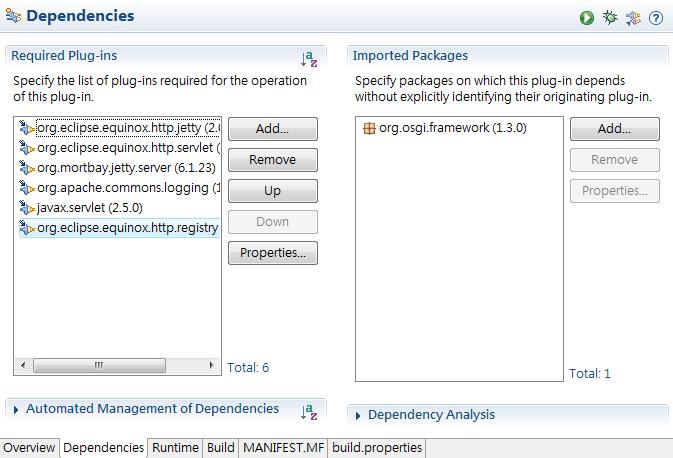
5.至com.puf.osgi.test下新增web-files資料夾,並在資料夾下新增一個index.html檔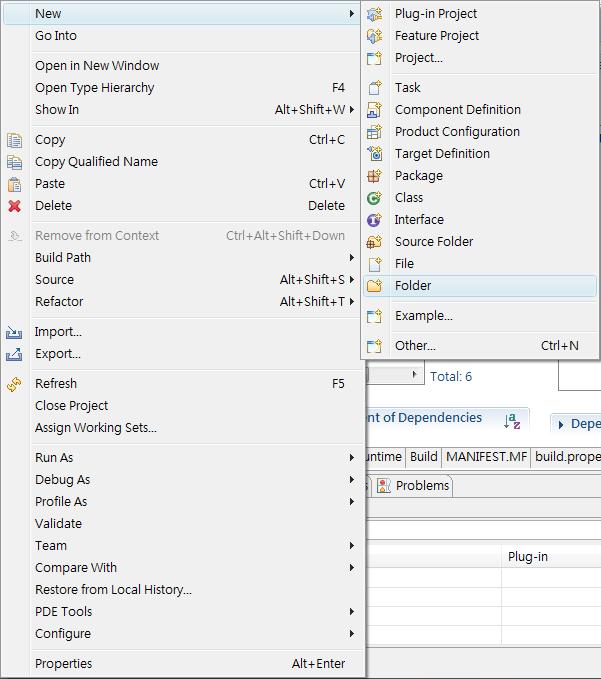
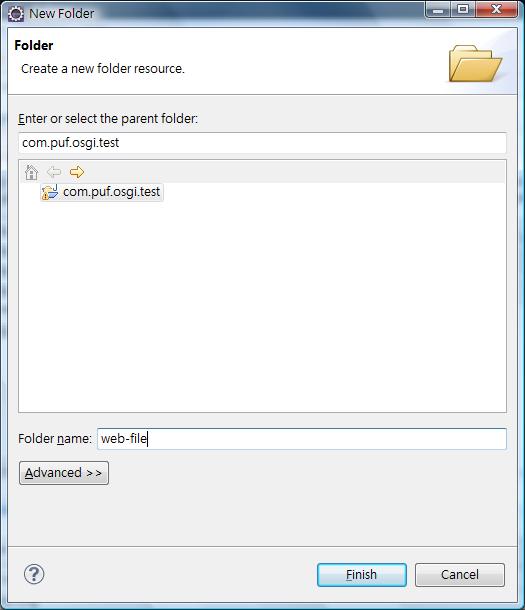
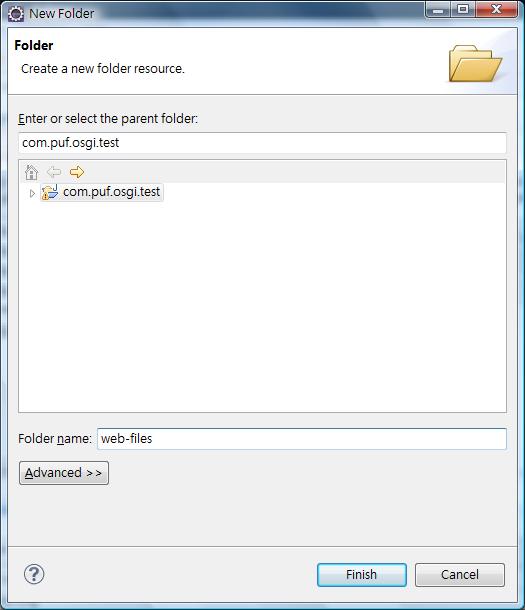
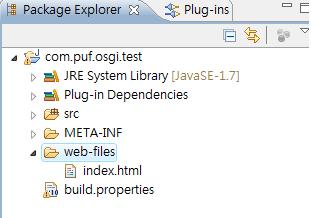
6.在com.puf.osgi.test下新增一個plugin.xml檔案,檔案內容為
<plugin> <extension point="org.eclipse.equinox.http.registry.resources"> <resource alias="/web" base-name="/web_files" /> </extension> </plugin>
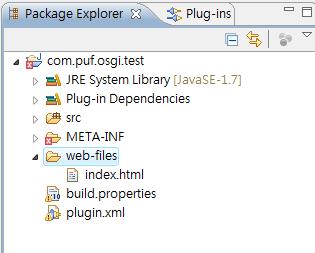
7.發現MANIFEST.MF內Bundle-SymbolicName出現錯誤,在後面加上singleton:=true即可
Manifest-Version: 1.0Bundle-ManifestVersion: 2Bundle-Name: TestBundle-SymbolicName: com.puf.osgi.test;singleton:=trueBundle-Version: 1.0.0.qualifierBundle-Activator: com.puf.osgi.test.ActivatorBundle-Vendor: PUFBundle-RequiredExecutionEnvironment: JavaSE-1.7Import-Package: org.osgi.framework;version="1.3.0"Require-Bundle: org.eclipse.equinox.http.jetty;bundle-version="2.0.100", org.eclipse.equinox.http.servlet;bundle-version="1.1.200", org.mortbay.jetty.server;bundle-version="6.1.23", org.apache.commons.logging;bundle-version="1.0.4", javax.servlet;bundle-version="2.5.0", org.eclipse.equinox.http.registry;bundle-version="1.1.100"
8.至Run → Run configurations 選擇OSGi Framework 右鍵點選 New
選擇 Deselect All 將 com.puf.osgi.test 打勾,在點選Add Required Bundles
按下 Run
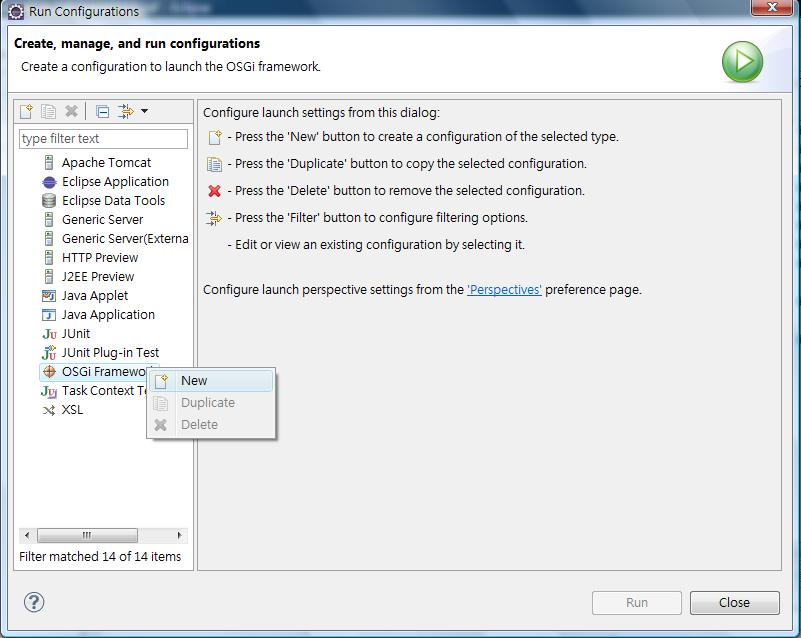
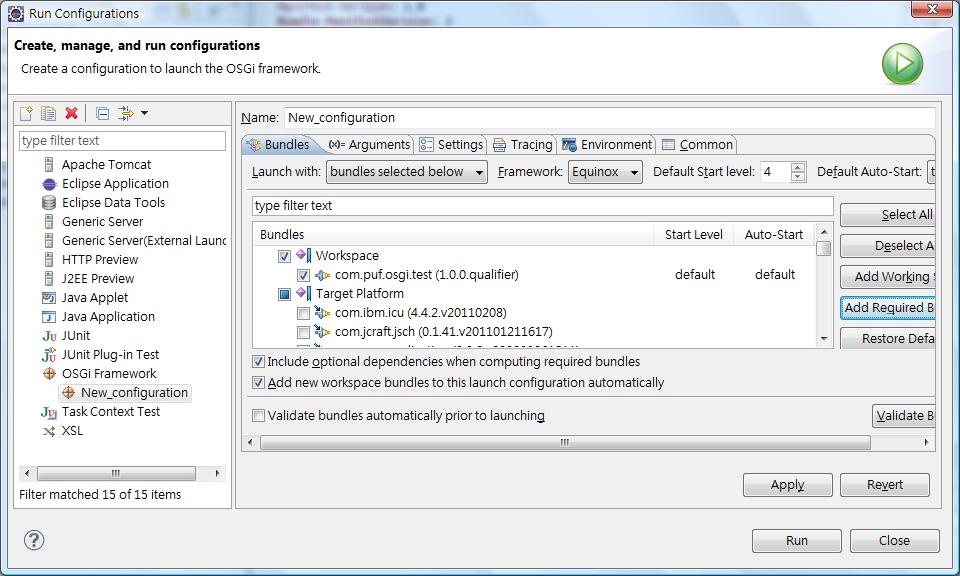
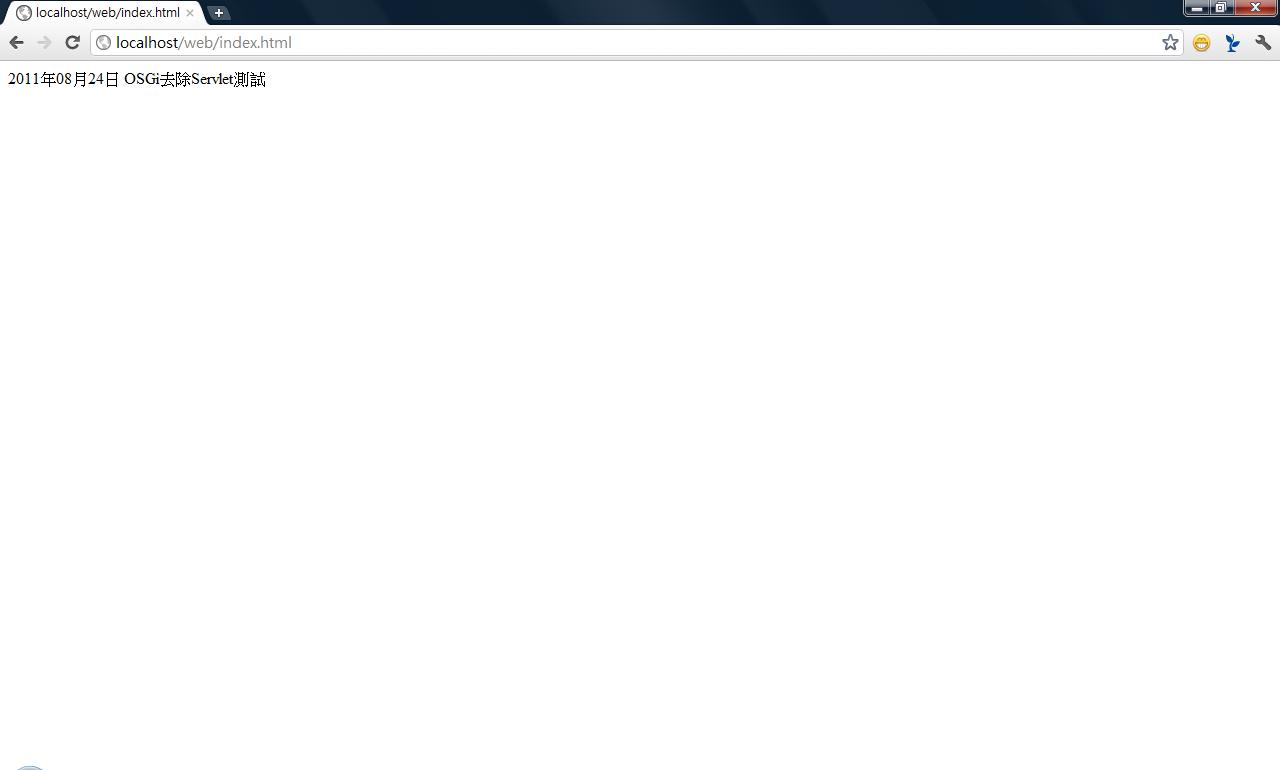
9.在至Run → Debug 後,開啟瀏覽器打入 http://localhost/web/index.html 即可
參考網址:http://developer.51cto.com/art/200906/126290.htm