
ios 消息推送
?
- 生成Certificate Signing Request (CSR)
? ? ? ? 打开keychain access 如下图所示:
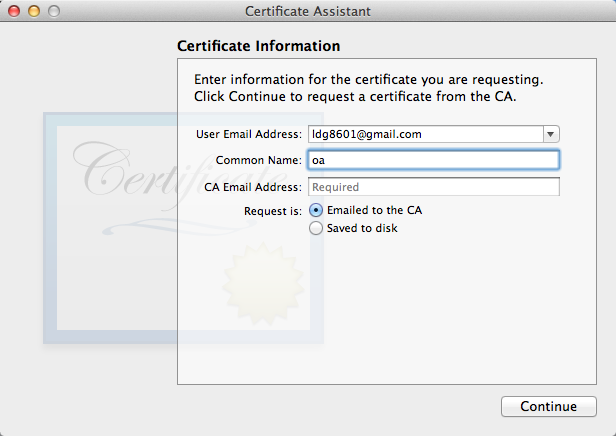
按要求输入相应的信息即可。把证书保存到本地
2.导出私有密钥
打开keychain access 通过查询功能(通过生成证书的common name查询)找到私有密钥,导出。如下图所示:
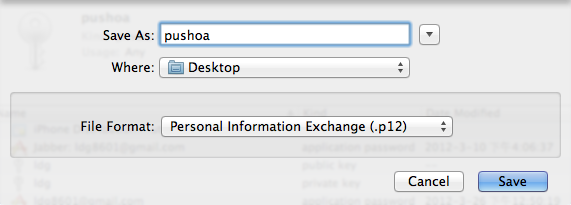
?注意保存的时候会提示输入密码,这个密码要记住哦,后面有用。导出命名为:PushOAKey.p12
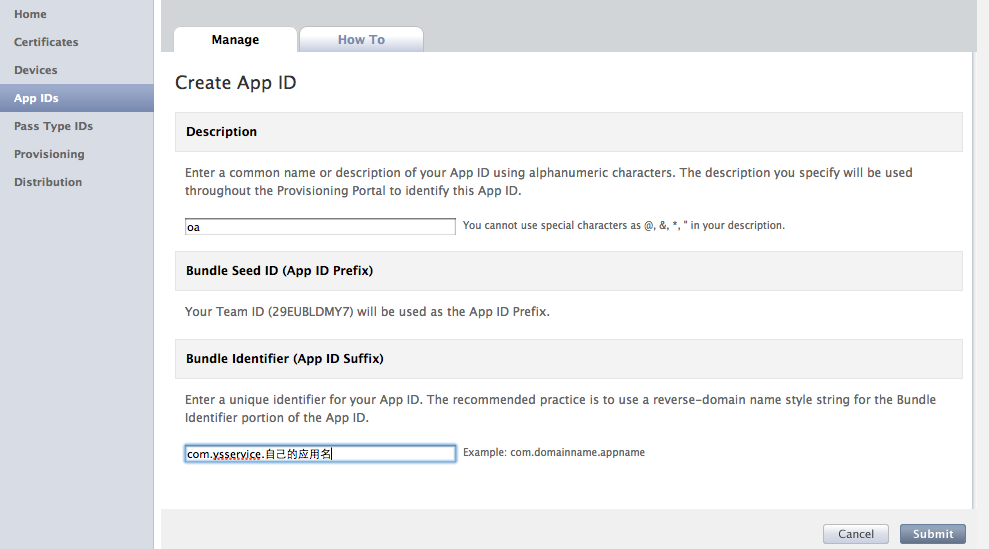
3.使用付费的苹果账号登录https://developer.apple.com。进入?iOS Provisioning Portal,创建一个app id.如下图所示:
?4.创建完APPID后配置推送,如下图所示:
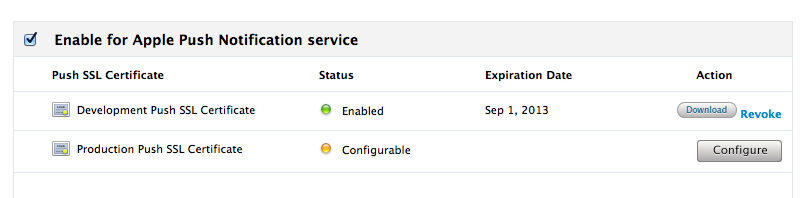
?我这里是配置过了,如果没有配置就会有个configurable,点击以后进行配置,如下图所示:
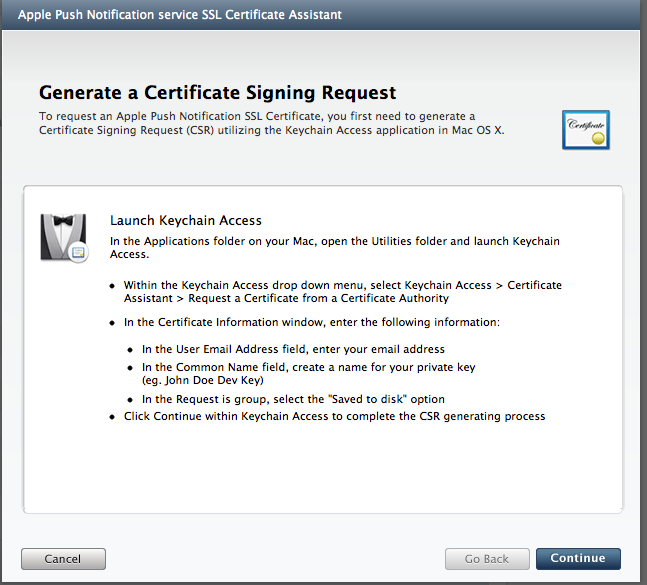
?选择继续,如下图所示:
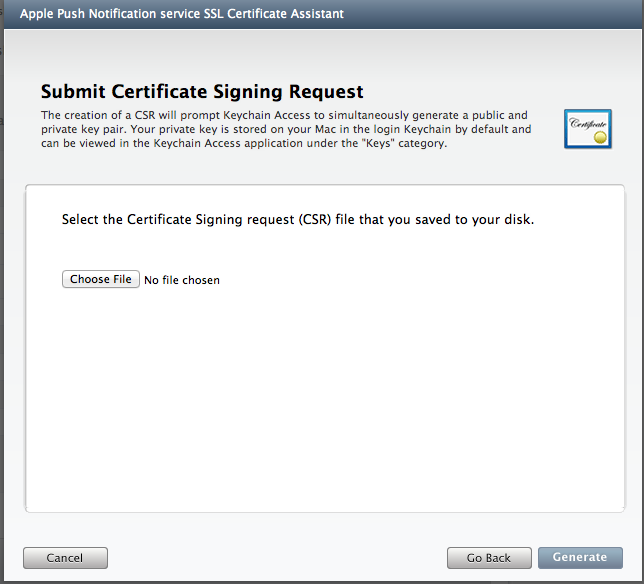
在这里选择我们第一步生成的CertificateSigningRequest.certSigningRequest证书即可,生成完成,下载.cer后缀名的文件到本地,命名为:aps_development.cer
5.到目前为止,我们已经生成了三个证书
如下所示:PushChat.certSigningRequest ?PushOAKey.p12???aps_development.cer
6.生成java,.net端连接apns的证书.这里使用openssl。操作步骤如下所示:
?
使用OpenSSL
1、将aps_development.cer转换成 aps_developer_identity.pem格式。
openssl x509 -in?aps_development.cer?-inform DER -out aps_developer_identity.pem -outform PEM
2、将p12格式的私钥转换成pem,密码都设置为:abc123。
openssl pkcs12 -nocerts -out Push_oa.pem ?-in?PushOAKey.p12
3、用certificate和the key 创建PKCS#12格式的文件。
openssl pkcs12 -export -in aps_developer_identity.pem -inkey Push_oa.pem -certfile CertificateSigningRequest.certSigningRequest -name aps_developer_identity -out aps_developer_identity.p12
这样我们就得到了在应用程序中使用的证书文件:aps_developer_identity.p12。
?
注:苹果的消息推送服务器地址:
?
如下图:
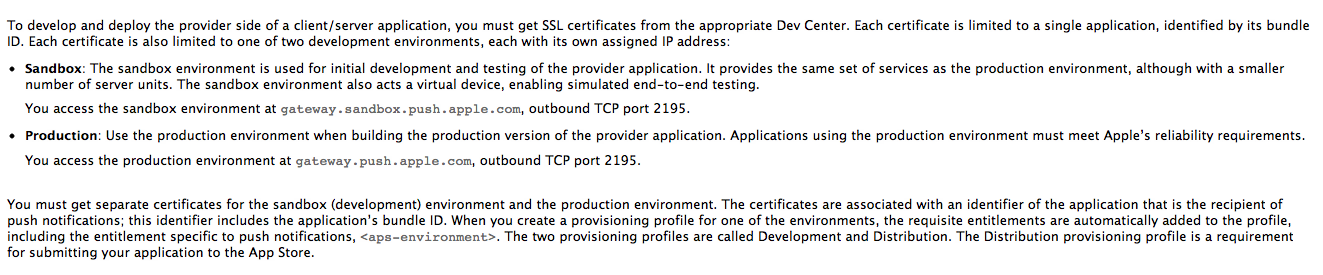
?To develop and deploy the provider side of a client/server application, you must get SSL certificates from the appropriate Dev Center. Each certificate is limited to a single application, identified by its bundle ID. Each certificate is also limited to one of two development environments, each with its own assigned IP address:
OS X Note:?The entitlement for the OS X provisioning profile is?com.apple.developer.aps-environment, which scopes it to the platform.
?
You can determine in Xcode which environment you are in by the selection of a code-signing identity. If you see an “iPhone Developer:?Firstname Lastname” certificate/provisioning profile pair, you are in the sandbox environment. If you see an “iPhone Distribution:?Companyname” certificate/provisioning profile pair, you are in the production environment. It is a good idea to create a Distribution release configuration in Xcode to help you further differentiate the environments.
Although an SSL certificate is not put into a provisioning profile, the?<aps-environment>?is added to the profile because of the association of the certificate and a particular application ID. As a result this entitlement is built into the application, which enables it to receive push notifications.
?