
第一章:初入Android大门(添加Menu菜单)效果:main.xmlstrings.xmlpackage about.menu.testimport android.
第一章:初入Android大门(添加Menu菜单)
效果: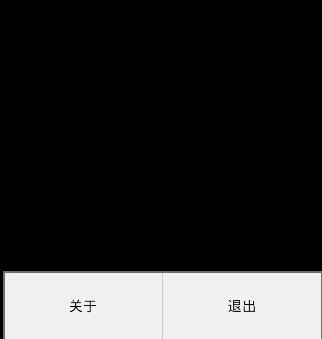
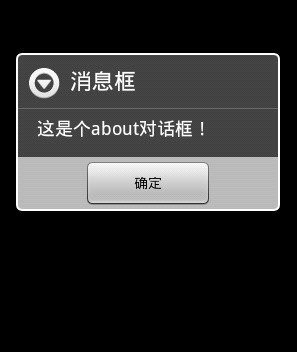
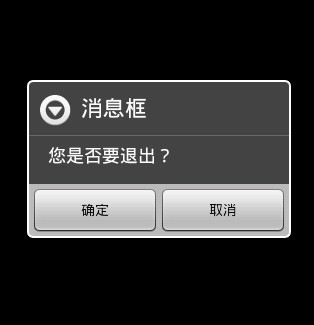
main.xml
strings.xmlpackage about.menu.test;import android.app.Activity;import android.app.AlertDialog;import android.content.DialogInterface;import android.os.Bundle;import android.view.Menu;import android.view.MenuItem;public class AboutMenuTest extends Activity { @Override public void onCreate(Bundle savedInstanceState) { super.onCreate(savedInstanceState); /** 载入main.xml文件 */ setContentView(R.layout.main); } /** 覆盖onCreateOptionsMenu函数添加两个menu菜单*/ public boolean onCreateOptionsMenu(Menu menu){ /** public abstract MenuItem add (int groupId, int itemId, int order, CharSequence title) 参数groupId该组织标识符中应包含这个项目。这可能是用于定义组项批状态变化。如果一个项目没有通常使用不应当是一组。itemid "唯一"物品的ID。如果你没有使用不需要有一个唯一的ID。order 订条款。如果你没有使用不关心这个命令。看到getOrder()。title 标题的文字显示。返回 新添加的菜单项。 */ menu.add(0,0,0,R.string.meun_about); menu.add(0,1,1,R.string.menn_exit);return super.onCreateOptionsMenu(menu); } /** 覆盖onOptionsItemSelected函数判断用户选择的标题*/ public boolean onOptionsItemSelected(MenuItem menuItem){ /** 调用一次获得选择的按钮ID*/ super.onOptionsItemSelected(menuItem); switch(menuItem.getItemId()){ case 0: showAbout(); break; case 1: showIsExit(); break; } return true; } /** 弹出关于对话框*/ public void showAbout(){ /** 创建一个弹出对话框对象设置标题,消息体,按钮事件*/ new AlertDialog.Builder(this).setTitle(R.string.title).setMessage(R.string.about_text).setPositiveButton(R.string.enter,new DialogInterface.OnClickListener() {@Overridepublic void onClick(DialogInterface dialog, int which) {}}).show(); } /** 弹出退出对话框*/ public void showIsExit(){ /** 创建一个弹出对话框对象设置标题,消息体,确定和取消按钮事件*/ new AlertDialog.Builder(this).setTitle(R.string.title).setMessage(R.string.exit_text).setNegativeButton(R.string.exit_cancle, new DialogInterface.OnClickListener(){public void onClick(DialogInterface dialog, int which) {}}).setPositiveButton(R.string.enter, new DialogInterface.OnClickListener(){@Overridepublic void onClick(DialogInterface dialog, int which) {/** 退出程序*/finish();}}).show(); } }