
Panel标题栏添加按钮
效果图: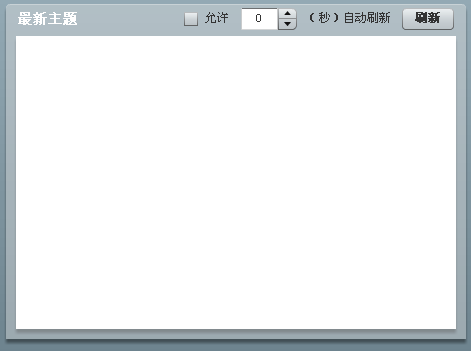
<xml version="1.0" encoding="utf-8"?>
<mx:Panel xmlns:mx="http://www.adobe.com/2006/mxml" fontFamily="宋体" fontSize="12" layout="horizontal">
<mx:Script>
<![CDATA[
import mx.containers.Panel;
import mx.containers.HBox;
import mx.controls.CheckBox;
import mx.controls.NumericStepper;
import mx.controls.Label;
import mx.controls.Button;
public var titleHBox:HBox;
public var titleCheckBox:CheckBox;
public var titleNumericStepper:NumericStepper;
public var titleLabel:Label;
public var titleButton:Button;
override protected function createChildren():void
{
super.createChildren();
titleHBox = new HBox();
titleHBox.setStyle("fontSize", 12);
titleHBox.setStyle("color", 0x333333);
titleHBox.setStyle("verticalAlign", "middle");
titleButton = new Button();
titleButton.label="测试";
titleHBox.addChild(titleButton);
}
override protected function updateDisplayList(unscaledWidth:Number, unscaledHeight:Number):void
{
super.updateDisplayList(unscaledWidth, unscaledHeight);
// Do this or the HBox won't appear!
titleHBox.setActualSize(titleHBox.getExplicitOrMeasuredWidth(),
titleHBox.getExplicitOrMeasuredHeight());
// Position the HBox
var y:int = 4;
var x:int = this.width - titleHBox.width - 12;
titleHBox.move(x, y);//设置titleHBox显示的位置 }
]]>
</mx:Script>
</mx:Panel> 1 楼 草之梦 2011-12-29 可不可以给一个完整的例子,我是一个新手
Panel标题栏平添按钮
Panel标题栏添加按钮效果图:xml version1.0 encodingutf-8?mx:Panel xmlns:mxhttp://www.adobe