
android动画在Android系统中系统了两种动画实现方式:一种是Tween动画,这种实现方式可以使视图组件移动、放
android动画
在Android系统中系统了两种动画实现方式:一种是Tween动画,这种实现方式可以使视图组件移动、放大、缩小以及产生透明度的变化;另一种是Frame动画,这是一种传统的动画方法,通过顺序播放排列好的图片来实现,类似电影。
Tween动画类位于android.view.animation包中,该包中包含了一些常用的动画实现类。
? Animation:动画抽象类,其它几个实现类继承该类。
? ScaleAnimation:控制尺寸大小变化的动画类。
? AlphaAnimation:控制透明度变化的动画类。
? TranslateAnimation:控制位置变化的动画类。
? AnimationSet:定义动画属性集合类。
? AnimationUtils:动画工具类。
Tween动画有四个主要的实现,下面分别说明下:1、AlphaAnimation:渐变动画,主要控制透明度变化动画类,常使用AlphaAnimation(float fromAlpha, float toAlpha)来构造; fromAlpha:动画开始时的透明度(取值范围为0.0到1.0); toAlpha:动画结束时的透明度;2、ScaleAnimation:主要控制尺度变化的动画类,常使用ScaleAnimation(float fromX, float toX, float fromY, float toY, int pivotXType, float pivotXValue, int pivotYType, float pivotYValue)来构造; fromX:动画开始X坐标上的伸缩尺度; toX:动画结束X坐标上的伸缩尺度; fromY:动画开始Y坐标上的伸缩尺度; toY:动画结束Y坐标上的伸缩尺度; pivotXType:X坐标上的伸缩模式,取值有:Animation.ABSOLUTE, Animation.RELATIVE_TO_SELF, Animation.RELATIVE_TO_PARENT; pivotXValue:X坐标上的伸缩值; pivotYType:Y坐标上的伸缩模式,取值有:Animation.ABSOLUTE, Animation.RELATIVE_TO_SELF, Animation.RELATIVE_TO_PARENT; pivotYValue:Y坐标上的伸缩值;3、TranslateAnimation:主要控制位置变换的动画实现类,常使用TranslateAnimation(float fromXDelta, float toXDelta, float fromYDelta, float toYDelta)来构造; fromXDelta:动画开始的X坐标; toXDelta:动画结束的X坐标; fromYDelta:动画开始的Y坐标; toYDelta:动画结束的Y坐标;4、RotateAnimation:主要控制旋转的动画实现类,常使用RotateAnimation(float fromDegrees, float toDegrees, int pivotXType, float pivotXValue, int pivotYType, float pivotYValue)来构造; fromDegrees:旋转开始角度; toDegrees:旋转结束角度; pivotXType, pivotXValue, pivotYType, pivotYValue与尺度变化动画ScaleAnimation类似;
?Tween动画的实现方式有两种:一种是直接通过硬编码的方式在程序代码中实现;另一种是在配置文件中定义(Android系统推荐使用),这种方式可扩展性较好。
首先,看看硬编码方式的实现:
main.xml
<LinearLayout xmlns:android="http://schemas.android.com/apk/res/android" android:orientation="vertical" android:layout_width="fill_parent" android:layout_height="fill_parent" > <ImageView android:id="@+id/imageView" android:layout_width="wrap_content" android:layout_height="200px" android:src="@drawable/football_match" android:layout_gravity="center_horizontal"/> <LinearLayout android:layout_width="fill_parent" android:layout_height="wrap_content" android:orientation="horizontal" > <Button android:id="@+id/button01"android:text="Scale"android:layout_width="wrap_content"android:layout_height="wrap_content"android:layout_weight="1"/><Button android:id="@+id/button02"android:text="Alpha"android:layout_width="wrap_content"android:layout_height="wrap_content"android:layout_weight="1"/><Button android:id="@+id/button03"android:text="Translate"android:layout_width="wrap_content"android:layout_height="wrap_content"android:layout_weight="1"/><Button android:id="@+id/button04"android:text="Rotate"android:layout_width="wrap_content"android:layout_height="wrap_content"android:layout_weight="1"/> </LinearLayout></LinearLayout>
?
Activity.java
public class AnimationActivity extends Activity {private ImageView imageView;private Button button01,button02,button03,button04;private Animation animation; /** Called when the activity is first created. */ @Override public void onCreate(Bundle savedInstanceState) { super.onCreate(savedInstanceState); setContentView(R.layout.main); imageView = (ImageView) this.findViewById(R.id.imageView); button01 =(Button) this.findViewById(R.id.button01); button02 = (Button) this.findViewById(R.id.button02); button03 = (Button) this.findViewById(R.id.button03); button04 = (Button) this.findViewById(R.id.button04); button01.setOnClickListener(new OnClickListener(){@Overridepublic void onClick(View arg0) {animation = new ScaleAnimation(0f,1f,0f,1f,Animation.RELATIVE_TO_SELF,0.5f,Animation.RELATIVE_TO_SELF,0.5f);//设置动画持续时间animation.setDuration(3000);imageView.startAnimation(animation);} }); button02.setOnClickListener(new OnClickListener(){@Overridepublic void onClick(View v) {animation = new AlphaAnimation(0.1f, 1.0f);animation.setDuration(3000);imageView.startAnimation(animation);} }); button03.setOnClickListener(new OnClickListener(){@Overridepublic void onClick(View v) {animation = new TranslateAnimation(10, 100, 10, 100);animation.setDuration(3000);imageView.startAnimation(animation);} }); button04.setOnClickListener(new OnClickListener(){@Overridepublic void onClick(View v) {animation = new RotateAnimation(0f,+360f,Animation.RELATIVE_TO_SELF,0.5f,Animation.RELATIVE_TO_SELF,0.5f);animation.setDuration(3000);imageView.startAnimation(animation);} }); }}?
?
XML方式实现:
?
在工程的res\anim\目录下创建各种动画的xml配置文件。
alpha.xml
<set xmlns:android="http://schemas.android.com/apk/res/android"> <alpha android:fromAlpha="1.0" android:toAlpha="0.2" android:duration="5000"> </alpha> </set>
?
rotate.xml
<set xmlns:android="http://schemas.android.com/apk/res/android"> <rotate android:fromDegrees="0" android:toDegrees="-540" android:pivotX="50%" android:pivotY="50%" android:duration="5000"> </rotate> </set>
?
scale.xml
<set xmlns:android="http://schemas.android.com/apk/res/android"> <scale android:fromXScale="0.0" android:toXScale="1.0" android:fromYScale="0.0" android:toYScale="1.0" android:pivotX="50%" android:pivotY="50%" android:duration="5000"> </scale> </set>
?
translate.xml
<set xmlns:android="http://schemas.android.com/apk/res/android"> <translate android:fromXDelta="10" android:toXDelta="100" android:fromYDelta="10" android:toYDelta="100" android:duration="5000"> </translate> </set>
?
XActivity.java
public class XAnimationActivity extends Activity{private ImageView imageView;private Button button01,button02,button03,button04;private Animation animation;/* (non-Javadoc) * @see android.app.Activity#onCreate(android.os.Bundle) */@Overrideprotected void onCreate(Bundle savedInstanceState) {// TODO Auto-generated method stubsuper.onCreate(savedInstanceState);setContentView(R.layout.main);imageView = (ImageView) this.findViewById(R.id.imageView); button01 =(Button) this.findViewById(R.id.button01); button02 = (Button) this.findViewById(R.id.button02); button03 = (Button) this.findViewById(R.id.button03); button04 = (Button) this.findViewById(R.id.button04); button01.setOnClickListener(new OnClickListener(){@Overridepublic void onClick(View arg0) {animation = AnimationUtils.loadAnimation(XAnimationActivity.this, R.anim.scale);//设置动画持续时间animation.setDuration(3000);imageView.startAnimation(animation);} }); button02.setOnClickListener(new OnClickListener(){@Overridepublic void onClick(View v) {animation = AnimationUtils.loadAnimation(XAnimationActivity.this, R.anim.alpha);animation.setDuration(3000);imageView.startAnimation(animation);} }); button03.setOnClickListener(new OnClickListener(){@Overridepublic void onClick(View v) {animation = AnimationUtils.loadAnimation(XAnimationActivity.this, R.anim.translate);animation.setDuration(3000);imageView.startAnimation(animation);} }); button04.setOnClickListener(new OnClickListener(){@Overridepublic void onClick(View v) {animation = AnimationUtils.loadAnimation(XAnimationActivity.this, R.anim.rotate);animation.setDuration(3000);imageView.startAnimation(animation);} });}}?OK,以上就是两种动画的实现方法,运行效果图:
Scale效果
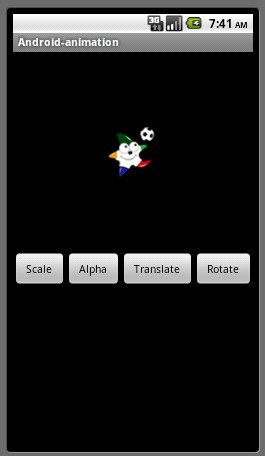
?
Alpha效果
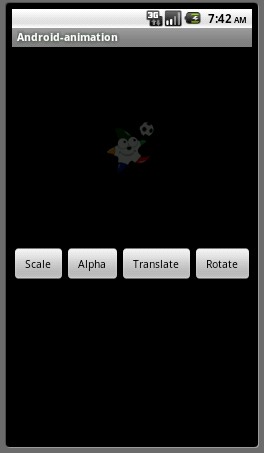
?
Translate效果
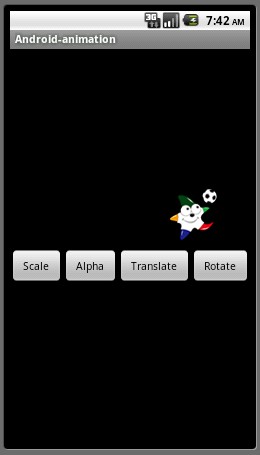
?
Rotate效果
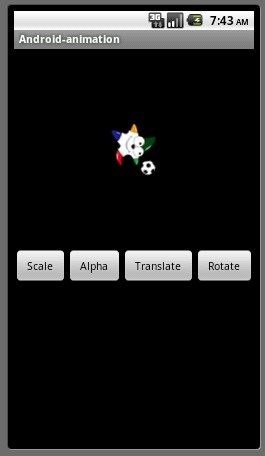
?
动画完成后,为什么又移动回到动画开始的位置了?