
(转)打造自己的vim界面--用winmanager合并显示NERDTree和TagList转自:http://www.cnblogs.com/ifys/archiv
(转)打造自己的vim界面--用winmanager合并显示NERDTree和TagList
转自:http://www.cnblogs.com/ifys/archive/2010/10/24/1860610.html
先上个图:
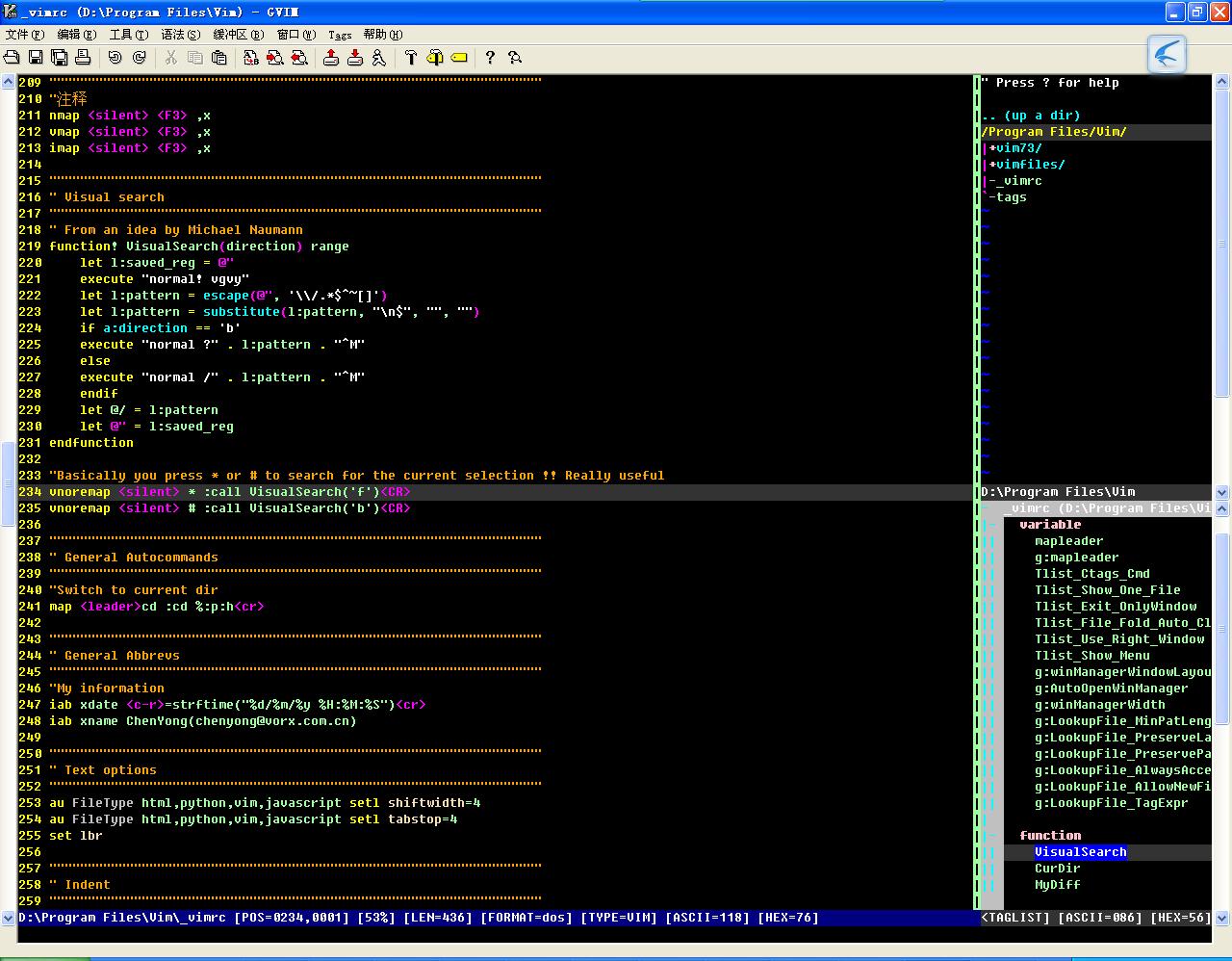 ???
??? 需要用到的插件:
taglist需要ctags支持
ctags.exe:http://ctags.sourceforge.net/
taglist显示tag列表
taglist:http://www.vim.org/scripts/script.php?script_id=273
显示buf列表:
bufexplorer:http://www.vim.org/scripts/script.php?script_id=42
Nerd_Tree文件浏览
Nerd_tree:http://www.vim.org/scripts/script.php?script_id=1658
界面管理插件:
winmanager:http://www.vim.org/scripts/script.php?script_id=95
?
一、ctags:
下载解压后是源码,感觉就那个exe文件有点用。直接放到一个目录里,D:\ctags58。
设置一下环境变量。path=D:\ctags58。这样可以直接运行目录下面的ctags.exe文件。或者直接把ctags.exe放入windows的目录里。
vimrc中的设置:
if only the taglist window is present (optional)?let s:NERDTreeBufName = 'NERD_tree_'?if g:Tlist_Exit_OnlyWindow ?????augroup Exit_onlywindow?????????"当进入Nerd_Tree的buffer时也检测是否需要退出?????????exec "autocmd BufEnter ". s:NERDTreeBufName .?????????????????????\"* call s:Tlist_Window_Exit_Only_Window()"?????????autocmd BufEnter __Tag_List__ nested?????????????\ call s:Tlist_Window_Exit_Only_Window()?????augroup end?endif?
winmanager中:刚才添加的自动执行命令要改为:
?
?12345"set auto open Winmanager if g:AutoOpenWinManager "??? autocmd VimEnter * nested call s:StartWindowsManager()|1wincmd w? ????autocmd VimEnter * nested call s:StartWindowsManager()|1wincmd w|qendif这样所有的功能就实现了。在taglist窗口使用ctrl+n可以转换到bufexplorer窗口。