
Android 应用程序窗体显示状态操作
我们在开发程序是经常会需要软件全屏显示、自定义标题(使用按钮等控件)和其他的需求,今天这一讲就是如何控制Android应用程序的窗体显示.
首先介绍一个重要方法那就是requestWindowFeature(featrueId),它的功能是启用窗体的扩展特性。参数是Window类中定义的常量。
一、枚举常量
1.DEFAULT_FEATURES:系统默认状态,一般不需要指定
2.FEATURE_CONTEXT_MENU:启用ContextMenu,默认该项已启用,一般无需指定
3.FEATURE_CUSTOM_TITLE:自定义标题。当需要自定义标题时必须指定。如:标题是一个按钮时
4.FEATURE_INDETERMINATE_PROGRESS:不确定的进度
5.FEATURE_LEFT_ICON:标题栏左侧的图标
6.FEATURE_NO_TITLE:无标题
7.FEATURE_OPTIONS_PANEL:启用“选项面板”功能,默认已启用。
8.FEATURE_PROGRESS:进度指示器功能
9.FEATURE_RIGHT_ICON:标题栏右侧的图标
二、详解
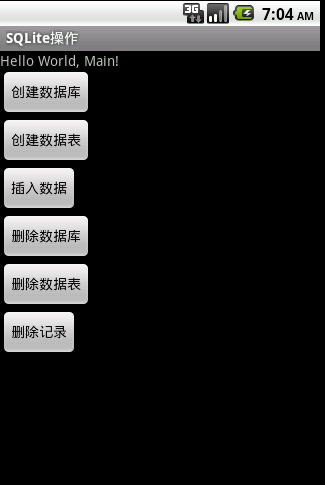
1.默认显示状态
?
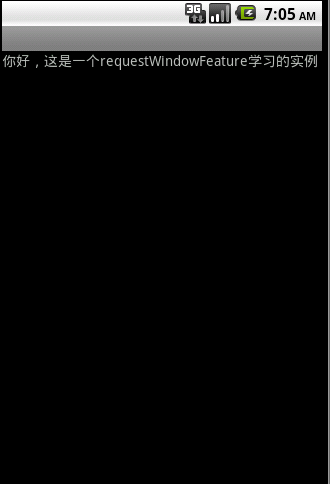
2.FEATURE_CUSTOM_TITLE详解
this.requestWindowFeature(Window.FEATURE_CUSTOM_TITLE);
setContentView(R.layout.main);?
?
?
这是因为没设置Featrue
在上面代码后加:getWindow().setFeatureInt(Window.FEATURE_CUSTOM_TITLE, R.layout.title);
?
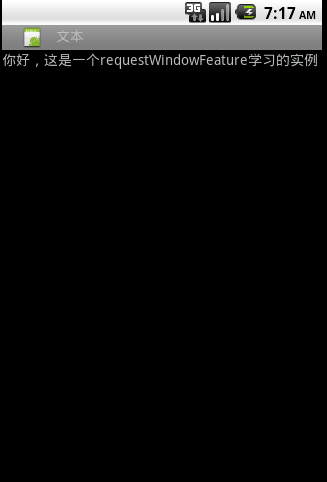
自定义标题完成,它是一个xml文件布局
title.xml
<?xml version="1.0" encoding="utf-8"?>
<LinearLayout
? xmlns:android="http://schemas.android.com/apk/res/android"
? android:layout_width="wrap_content"
? android:layout_height="wrap_content" >??
? <ImageView android:layout_width="wrap_content"?
??????? android:layout_height="wrap_content"?
??????? android:src="@drawable/icon"/>
?? <TextView android:id="@+id/text"?
??????? android:layout_width="wrap_content"?
??????? android:layout_height="wrap_content"?
??????? android:layout_alignParentLeft="true"?
??????? android:text="文本" />???
</LinearLayout>
3.FEATURE_INDETERMINATE_PROGRESS详解
表示一个进程正在运行
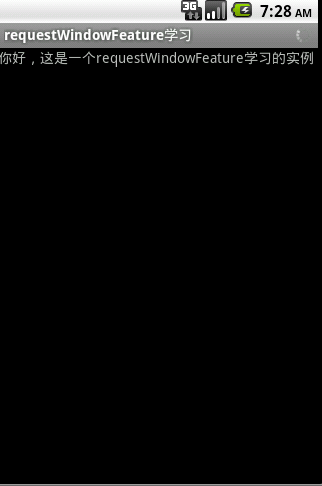
实现代码
1.progress.xml
<?xml version="1.0" encoding="utf-8"?>
<LinearLayout
? xmlns:android="http://schemas.android.com/apk/res/android"
? android:layout_width="wrap_content"
? android:layout_height="wrap_content">
? <ProgressBar android:id="@+id/progress"
????? android:layout_width="wrap_content"?android:layout_height="wrap_content"???
????? android:layout_gravity="center_vertical"
????? style="?android:attr/progressBarStyleSmallTitle">
</ProgressBar>
</LinearLayout>
?
2.Java代码
? this.requestWindowFeature(Window.FEATURE_INDETERMINATE_PROGRESS);
??setContentView(R.layout.main);
??getWindow().setFeatureInt(Window.FEATURE_INDETERMINATE_PROGRESS, R.layout.progress);
??setProgressBarIndeterminateVisibility(true);
4.FEATURE_LEFT_ICON详解
左侧显示图标
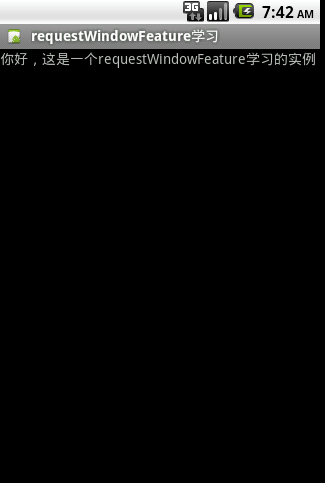
实现代码
??this.requestWindowFeature(Window.FEATURE_LEFT_ICON);
??setContentView(R.layout.main);??
??getWindow().setFeatureDrawableResource(Window.FEATURE_LEFT_ICON, R.drawable.icon);
5.FEATURE_NO_TITLE详解
?可用于全屏显示?
?实现代码
? this.requestWindowFeature(Window.FEATURE_NO_TITLE);
??setContentView(R.layout.main);?
??getWindow().setFlags(WindowManager.LayoutParams.FLAG_FULLSCREEN, WindowManager.LayoutParams.FLAG_FULLSCREEN);

?
虽然上面这样可以在标题栏加入一些控件,但是仍然不能改变标题栏的高度、背景色,要想达到这个目的,只能使用theme(主题)。因此往project里先添加一个style。改变背景色修改android:windowTitleBackgroundStyle的值,改变标题栏高度则修改android:windowTitleSize的值。下面是一个示例:
<?xml version="1.0" encoding="utf-8"?>
<resources>
?? ?<style name="CustomWindowTitleBackground">
?? ??? ?<item name="android:background">#778899</item>
?? ?</style>
?? ?<style name="activityTitlebar" parent="android:Theme">
?? ??? ?<item name="android:windowTitleSize">32dp</item>
?? ??? ?<item name="android:windowTitleBackgroundStyle">@style/CustomWindowTitleBackground</item>
?? ?</style>
</resources>
接着再修改AndroidManifest.xml文件,找到要自定义标题栏的Activity,添加上android:theme值,比如:
<activity android:name=".MainActivity" android:theme="@style/activityTitlebar">
android:theme值就是上面那个style.xml文件里定义的一个style的name值。
按照以上的步骤,修改标题栏布局、高度、背景色的功能就实现了。