
Android Notification调用测试LED显示Notification可以在屏幕最顶部的状态栏上显示一个图标通知(QQ用的就
Android Notification调用测试LED显示
Notification可以在屏幕最顶部的状态栏上显示一个图标通知(QQ用的就是这个),通知的同时可以播放声音,以及振动提示用户,点击通知还可以返回指定的Activity.
今天例子的效果图:
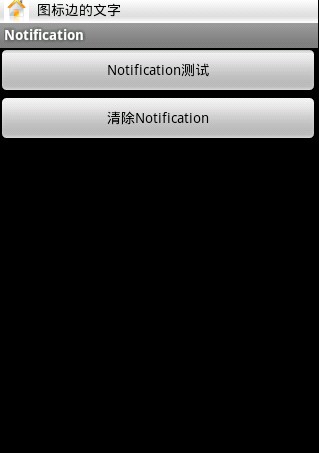
?
?
?
?
?
?
?
?
?
?
?
布局main.xml:
view sourceprint?01<?xml version="1.0" encoding="utf-8"?>02<LinearLayout xmlns:android="http://schemas.android.com/apk/res/android"03????android:orientation="vertical"04????android:layout_width="fill_parent"05????android:layout_height="fill_parent"06????>07<Button android:id="@+id/bt1"08????android:layout_height="wrap_content"09????android:layout_width="fill_parent"10????android:text="Notification测试"11/>12<Button android:id="@+id/bt2"13????android:layout_height="wrap_content"14????android:layout_width="fill_parent"15????android:text="清除Notification"16/>17</LinearLayout> <br>就两个按钮,一个添加Notification,一个删除Notification
view sourceprint?01package com.pocketdigi.Notification;02??03import android.app.Activity;04import android.app.Notification;05import android.app.NotificationManager;06import android.app.PendingIntent;07import android.content.Intent;08import android.os.Bundle;09import android.view.View;10import android.view.View.OnClickListener;11import android.widget.Button;12??13public class main extends Activity {14????/** Called when the activity is first created. */15????int notification_id=19172439;16????NotificationManager nm;17????@Override18????public void onCreate(Bundle savedInstanceState) {19????????super.onCreate(savedInstanceState);20????????setContentView(R.layout.main);21????????nm=(NotificationManager)getSystemService(NOTIFICATION_SERVICE);22????????Button bt1=(Button)findViewById(R.id.bt1);23????????bt1.setOnClickListener(bt1lis);24????????Button bt2=(Button)findViewById(R.id.bt2);25????????bt2.setOnClickListener(bt2lis);26??27????}28????OnClickListener bt1lis=new OnClickListener(){29??30????????@Override31????????public void onClick(View v) {32????????????// TODO Auto-generated method stub33????????????showNotification(R.drawable.home,"图标边的文字","标题","内容");34????????}35??36????};37????OnClickListener bt2lis=new OnClickListener(){38??39????????@Override40????????public void onClick(View v) {41????????????// TODO Auto-generated method stub42????????????//showNotification(R.drawable.home,"图标边的文字","标题","内容");43????????????nm.cancel(notification_id);44????????}45??46????};47????public void showNotification(int icon,String tickertext,String title,String content){48????????//设置一个唯一的ID,随便设置49??50????????//Notification管理器51????????Notification notification=new Notification(icon,tickertext,System.currentTimeMillis());52????????//后面的参数分别是显示在顶部通知栏的小图标,小图标旁的文字(短暂显示,自动消失)系统当前时间(不明白这个有什么用)53????????notification.defaults=Notification.DEFAULT_ALL; 54????????//这是设置通知是否同时播放声音或振动,声音为Notification.DEFAULT_SOUND55????????//振动为Notification.DEFAULT_VIBRATE;56????????//Light为Notification.DEFAULT_LIGHTS,在我的Milestone上好像没什么反应57????????//全部为Notification.DEFAULT_ALL58????????//如果是振动或者全部,必须在AndroidManifest.xml加入振动权限59????????PendingIntent pt=PendingIntent.getActivity(this, 0, new Intent(this,main.class), 0);60????????//点击通知后的动作,这里是转回main 这个Acticity61????????notification.setLatestEventInfo(this,title,content,pt);62????????nm.notify(notification_id, notification);63??64????}65}AndroidManifest.xml加入权限:
1<uses-permission android:name="android.permission.VIBRATE" /> 2<!-- 允许振动 -->