Android36_Animations使用(四)
?
<layoutAnimation xmlns:android="http://schemas.android.com/apk/res/android"android:delay="0.5"android:animationOrder="normal"android:animation="@anim/list_anim"/>?
? ? ? ? ? ? ? 2)在布局文件当中为ListVIew添加如下配置:
android:layoutAnimation="@anim/list_anim_layout"
??完整代码:
?List_anim_layout.xml
<?xml version="1.0" encoding="utf-8"?><layoutAnimation xmlns:android="http://schemas.android.com/apk/res/android"android:delay="0.5"android:animationOrder="normal"android:animation="@anim/list_anim"/>
?List_anim.xml
<?xml version="1.0" encoding="utf-8"?><set xmlns:android="http://schemas.android.com/apk/res/android"android:interpolator="@android:anim/accelerate_interpolator"android:shareInterpolator="true"><alphaandroid:fromAlpha="0.0"android:toAlpha="1.0"android:duration="1000"/></set>
?Main.xml
<?xml version="1.0" encoding="utf-8"?><LinearLayout xmlns:android="http://schemas.android.com/apk/res/android" android:orientation="vertical" android:layout_width="fill_parent" android:layout_height="fill_parent" ><ListView android:id="@id/android:list" android:layout_width="fill_parent" android:layout_height="wrap_content" android:scrollbars="vertical" android:layoutAnimation="@anim/list_anim_layout"/> <Button android:id="@+id/button" android:layout_width="fill_parent" android:layout_height="wrap_content" android:text="测试"/></LinearLayout>?
Item.xml
<?xml version="1.0" encoding="utf-8"?><LinearLayout xmlns:android="http://schemas.android.com/apk/res/android"android:layout_width="fill_parent" android:layout_height="fill_parent"android:orientation="horizontal" android:paddingLeft="10dip"android:paddingRight="10dip" android:paddingTop="1dip"android:paddingBottom="1dip"><TextView android:id="@+id/name" android:layout_width="180dip"android:layout_height="30dip" android:textSize="5pt"android:singleLine="true" /><TextView android:id="@+id/sex" android:layout_width="fill_parent"android:layout_height="fill_parent" android:textSize="5pt" android:singleLine="true"/></LinearLayout>?
AnimationsActivity.java
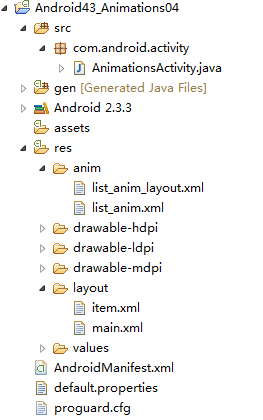
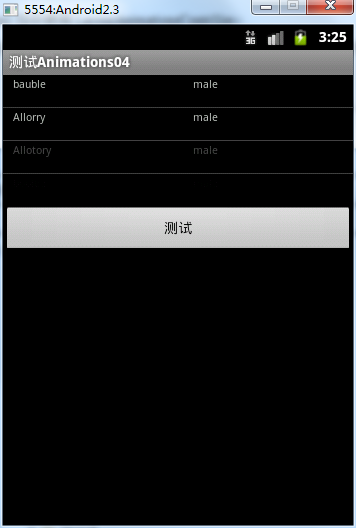
package com.android.activity;import java.util.ArrayList;import java.util.HashMap;import java.util.List;import android.app.ListActivity;import android.os.Bundle;import android.view.View;import android.view.View.OnClickListener;import android.widget.Button;import android.widget.ListAdapter;import android.widget.ListView;import android.widget.SimpleAdapter;public class AnimationsActivity extends ListActivity {private Button button = null;private ListView listView = null;@Override public void onCreate(Bundle savedInstanceState) { super.onCreate(savedInstanceState); setContentView(R.layout.main); listView = getListView(); button = (Button)findViewById(R.id.button); button.setOnClickListener(new ButtonListener()); }private ListAdapter createListAdapter() {List<HashMap<String,String>> list = new ArrayList<HashMap<String,String>>();HashMap<String,String> m1 = new HashMap<String,String>();m1.put("name", "bauble");m1.put("sex", "male");HashMap<String,String> m2 = new HashMap<String,String>();m2.put("name", "Allorry");m2.put("sex", "male");HashMap<String,String> m3 = new HashMap<String,String>();m3.put("name", "Allotory");m3.put("sex", "male");HashMap<String,String> m4 = new HashMap<String,String>();m4.put("name", "boolbe");m4.put("sex", "male");list.add(m1);list.add(m2);list.add(m3);list.add(m4);SimpleAdapter simpleAdapter = new SimpleAdapter(this,list,R.layout.item,new String[]{"name","sex"},new int[]{R.id.name,R.id.sex});return simpleAdapter;}private class ButtonListener implements OnClickListener{public void onClick(View v) {listView.setAdapter(createListAdapter());}}}??运行结果:每一个item都是淡入淡出的按顺序显示。
2.在代码当中使用LayoutAnimationsController
? ? ? ?对于在代码中使用LayoutAnimationsController,只不过去掉了list_anim_layout.xml这个文件,以及listview当中的
android:layoutAnimation="@anim/list_anim_layout"
Animation animation = (Animation)AnimationUtils.loadAnimation(AnimationsActivity.this, R.anim.list_anim);?
2) 创建LayoutAnimationController对象:??
LayoutAnimationController controller = new LayoutAnimationController(animation);?
3) 设置控件的显示顺序以及延迟时间:?
controller.setOrder(LayoutAnimationController.ORDER_NORMAL);controller.setDelay(0.5f);
?? ? ? ?4)为ListView设置LayoutAnimationController属性:
listView.setLayoutAnimation(controller);
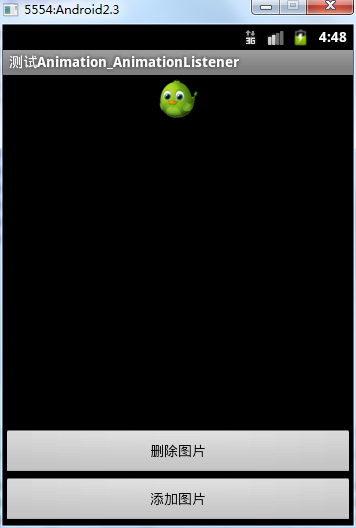
<?xml version="1.0" encoding="utf-8"?><RelativeLayout xmlns:android="http://schemas.android.com/apk/res/android"android:id="@+id/layout"android:orientation="vertical" android:layout_width="fill_parent"android:layout_height="fill_parent"><Button android:id="@+id/addButton" android:layout_width="fill_parent"android:layout_height="wrap_content" android:layout_alignParentBottom="true"android:text="添加图片" /><Button android:id="@+id/deleteButton" android:layout_width="fill_parent"android:layout_height="wrap_content" android:layout_above="@id/addButton"android:text="删除图片" /><ImageView android:id="@+id/image"android:layout_width="wrap_content" android:layout_height="wrap_content"android:layout_centerInParent="true" android:layout_marginTop="100dip"android:src="@drawable/image" /></RelativeLayout>
?AnimationListenerActivity.java
package com.android.activity;import android.app.Activity;import android.os.Bundle;import android.view.View;import android.view.View.OnClickListener;import android.view.ViewGroup;import android.view.ViewGroup.LayoutParams;import android.view.animation.AlphaAnimation;import android.view.animation.Animation;import android.view.animation.Animation.AnimationListener;import android.widget.Button;import android.widget.ImageView;public class AnimationListenerActivity extends Activity {private Button addButton = null;private Button deleteButton = null;private ImageView imageView = null;private ViewGroup viewGroup = null;@Override public void onCreate(Bundle savedInstanceState) { super.onCreate(savedInstanceState); setContentView(R.layout.main); addButton = (Button)findViewById(R.id.addButton); deleteButton = (Button)findViewById(R.id.deleteButton); imageView = (ImageView)findViewById(R.id.image); //LinearLayout下的一组控件 viewGroup = (ViewGroup)findViewById(R.id.layout); addButton.setOnClickListener(new AddButtonListener()); deleteButton.setOnClickListener(new DeleteButtonListener()); }private class AddButtonListener implements OnClickListener{public void onClick(View v) {//淡入AlphaAnimation animation = new AlphaAnimation(0.0f, 1.0f);animation.setDuration(1000);animation.setStartOffset(500);//创建一个新的ImageViewImageView newImageView = new ImageView(AnimationListenerActivity.this);newImageView.setImageResource(R.drawable.image);viewGroup.addView(newImageView,new LayoutParams(LayoutParams.FILL_PARENT,LayoutParams.WRAP_CONTENT));newImageView.startAnimation(animation);}}private class DeleteButtonListener implements OnClickListener{public void onClick(View v) {//淡出AlphaAnimation animation = new AlphaAnimation(1.0f, 0.0f);animation.setDuration(1000);animation.setStartOffset(500);//为Aniamtion对象设置监听器animation.setAnimationListener(new RemoveAnimationListener());imageView.startAnimation(animation);}}private class RemoveAnimationListener implements AnimationListener{//动画效果执行完时removepublic void onAnimationEnd(Animation animation) {System.out.println("onAnimationEnd");viewGroup.removeView(imageView);}public void onAnimationRepeat(Animation animation) {System.out.println("onAnimationRepeat");}public void onAnimationStart(Animation animation) {System.out.println("onAnimationStart");}}}?运行结果:
删除时慢慢淡出,添加时慢慢淡入